The problem
The script reads fine, but the generated video is a mess: a close-up on a face when the scene called for the contract, an empty establishing shot where a reaction shot should be, blocking that jumps left and right between two lines of dialogue. Worse, characters change appearance every time the shot changes — usually because no one built them as character assets referenced with @ in every shot, and blocking and camera position never made it into the Shot description in the first place. The prompt gets messier with every edit, and you end up burning generations trying to get lucky.
The value of an AI storyboard and a scene-by-scene shot list is translating a script into production language before you generate anything. Break down shots in the creative workspace, use the AI short drama guide for structure, and lock characters with the character asset guide. That way, your first-3-second hook, 15-second pacing, cover-image candidates, and episode-to-episode continuity aren't things you're bolting on after the edit is done.
How it works
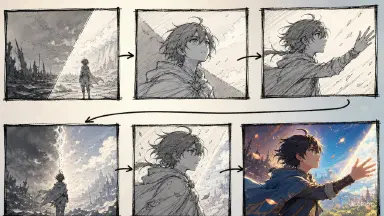
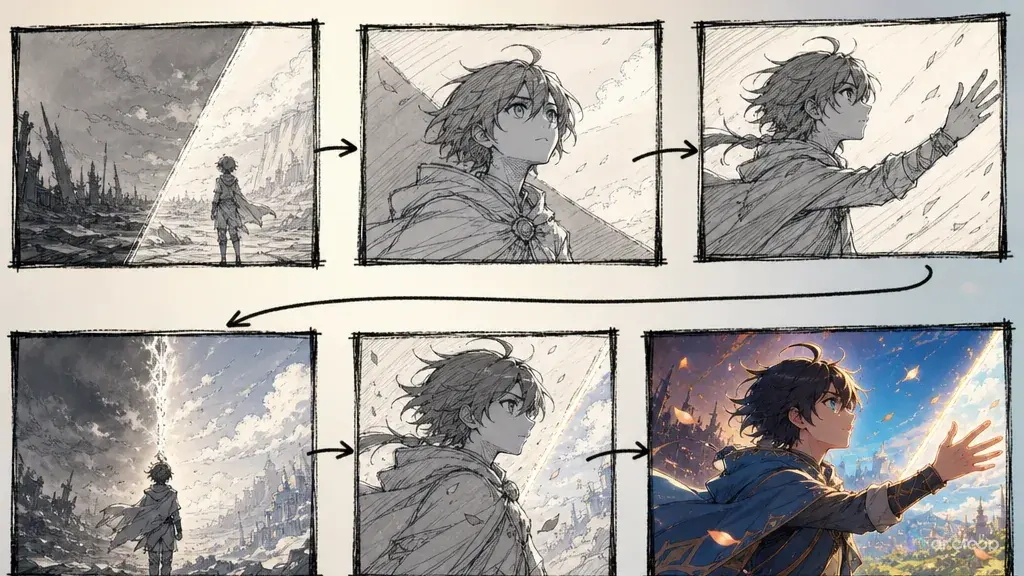
A script is narrative text. A storyboard is production text. A script says "she discovers the truth." A storyboard says "lead front-right, holding a voice recorder, camera pushes in from the recorder to her smirk." The first gives you story direction; only the second actually generates video.
A scene-by-scene shot list needs, at minimum: scene number, shot number, duration, shot size, characters, blocking, action, dialogue, emotion, lighting, character asset reference, voiceover requirements, edit point, and monetization use. Monetization use covers things like cover-image candidates, title lines, cliffhanger points, and reusable clips.
The full pipeline is still: concept → script → storyboard → video → voiceover → edit. An AI storyboard sits between script and video, and it's the layer that stops characters from recasting themselves every frame, blocking from turning to chaos, and the edit from dragging. Where characters are involved, a storyboard needs to understand how a character profile, a character turnaround sheet, an extended four-view turnaround, a character reference sheet, and a character asset library build on each other: the profile gives identity, the turnaround covers front/side/back, the four-view adds three-quarter angles and turns, the reference sheet compiles everything onto one page for review, and the character asset library is what gets called on long-term. You can break down a script with a storyboard template, generate shots with the AI short drama guide, and lock characters with the character asset guide.
Step-by-step
Step one: write a one-line action goal for every scene. Don't write "complicated emotions" — write "the lead pulls out evidence and fights back." A clear action goal keeps the storyboard from sprawling.
Step two: decide how many shots. A short drama scene usually runs 3 to 6 shots: hook, pressure, evidence, reaction, twist, cliffhanger. Each shot carries exactly one piece of information. There's also a well-known 15-second rule of thumb to plan around: the first information loop needs to close within 15 seconds, and there needs to be a second pressure point by 30 seconds. Don't force a scene longer than 30 seconds into one continuous block — break it into 15-second groups, each with its own connecting shot and character asset references.
Step three: write the blocking. Character position should serve the relationship — whoever's pressing for answers stands forward, whoever's being questioned stands back; whoever holds the evidence can be closer to camera; whoever's hiding something can be half in frame.
Step four: bind character assets. Every shot should reference a character asset code, a reference portrait, and the character turnaround sheet. Think of the character asset library as a filing cabinet you can call on: appearance, color palette, props, voice, and do-not-change items go in once, and the shot list only references the code and what happens in that shot. Don't reinvent the character inside the shot list.
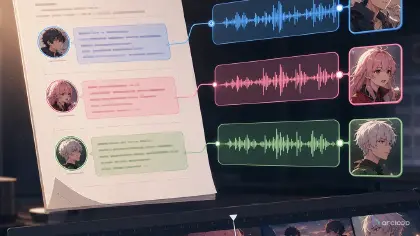
Step five: write the voiceover requirements. A line isn't just text — it needs pace, pauses, emotion, and voice. Multi-character dialogue especially needs to mark who interrupts whom first.
Step six: write the edit points. Every shot needs to know what it cuts to next — a glance cuts to evidence, evidence cuts to a reaction, a reaction cuts to a twist. Without clear edit points, the finished cut feels like a pile of disconnected clips.
Step seven: add monetization fields. Mark cover-image candidates, title lines, cliffhanger points, and reusable clips. An AI storyboard isn't just for generation — it's what keeps costs under control when you're producing at volume.
Step eight: set a pass bar for the storyboard. A shot list that's ready for video generation should let someone else understand exactly what a shot needs to show without reading the original script. If the shot list still says things like "the lead breaks down" or "tense atmosphere," it hasn't hit production standard yet. This matters even more on commercial projects — the clearer the shot list, the less time you spend explaining things to outsourced editors, batch generation, and post-mortems.
Copy-and-use prompt examples
Example 1: turning a script into a storyboard
Break the following AI short drama script into a scene-by-scene shot list. Fields: scene number, shot number, duration, shot size, characters, blocking, action, dialogue, emotion, lighting, character asset reference, voiceover requirements, edit point, monetization use. Each shot should carry exactly one piece of information. The first 3 seconds need a conflict hook, and the ending needs a cliffhanger. Use reference portraits and character turnaround sheets to keep characters from changing appearance every shot. Output should be ready for script-to-video generation and batch production.
Example 2: a multi-panel storyboard spec
Generate an 8-panel storyboard spec for episode 1 of an AI anime drama. Aspect ratio: vertical 9:16. Each panel includes: frame description, character blocking, camera movement, expression, dialogue, lighting, character asset reference. Characters draw from the same character asset library and stay consistent with their character turnaround sheets. The first two panels form the 3-second hook, the middle four panels escalate the conflict, and the last two panels deliver the twist and the cliffhanger. No changing faces between shots, no blocking jumping around, no empty establishing shots without a purpose.
Example 3: storyboard review prompt
Review whether this AI storyboard is ready to go straight into video generation. Check: does each shot have exactly one action goal; are character asset references clear; is blocking continuous; is lighting consistent; is the dialogue workable for multi-character voiceover; are edit points explicit; is there a hook in the first 3 seconds; are monetization fields present. Output what passes, what's at risk, and the smallest fix for each. Flag anything likely to cause characters recasting mid-scene, lip sync mismatches, or dragging pace once it goes to video.
Common failures and fixes
Failure one: the storyboard describes the image but not the action. Fix: write "who does what" for every panel instead of just the mood.
Failure two: cramming too much into one shot. Fix: split the shot. AI video handles short, single actions much better than multiple beats of performance at once.
Failure three: forgetting blocking entirely. Fix: make blocking a required field. Without it, any shot with more than one character tends to turn into visual chaos.
Failure four: the storyboard doesn't connect to voiceover. Fix: add dialogue, pauses, and emotion to the shot list. Voiceover shouldn't be something you patch in after editing.
Failure five: no monetization fields. Fix: mark cover-image, title, cliffhanger, and reuse potential for every scene. Otherwise, the storyboard only serves a single sample clip instead of ongoing production.
Failure six: treating the storyboard as a one-off document. Fix: pull recurring shots out into templates — an evidence close-up, a confrontational turn, a silent stare-down, eavesdropping outside a door, a phone notification popping up. The more stable your templates, the easier your next batch of AI short dramas is to produce at scale.
FAQ
Does an AI storyboard have to be generated as images?
No. A scene-by-scene shot list can drive production on its own. Image storyboards are worth it for complex blocking and action; a text shot list is faster for high-volume work.
How many shots should one episode have?
It depends on length and how dense the conflict is. A 60-second vertical AI short drama typically runs 8 to 16 shots. The rule of thumb: one piece of information per shot.
Does storyboarding slow down one-click video generation?
It's one more step up front and far less rework later. For anyone producing at volume, a storyboard cuts costs — it doesn't add them.