
Introduction: When "No Bad Stuff" Makes the Shot Worse
You have probably seen both failures. In one draft, the anime clip adds fake subtitles, a random logo on the jacket, extra fingers, and a background character who was never in the script. So you add a huge block of negative text: no text, no logo, no extra fingers, no blur, no weird eyes, no bad anatomy, no artifacts, no mistakes, no anything. The next draft is clean but dead. The character stops moving, the background loses atmosphere, and the scene feels like a plastic product render.
Negative constraints are useful only when they protect a specific creative decision. They are not a substitute for a clear positive prompt. A good negative constraint says what must not happen because it would break identity, continuity, readability, safety, platform fit, or authorship. It should leave enough room for animation, expression, lighting, and world detail to breathe.
This guide explains how to design negative constraints for AI anime prompts without strangling the shot. It covers no-text rules, logo avoidance, hand and anatomy boundaries, redesign prevention, style-copy boundaries, camera stability, targeted shot regeneration, and three copy-ready examples. Start with Workflow Templates when you need a repeatable review path, use Reference Type Per Shot when a constraint belongs to a reference layer, and keep the working shot inside ArcLoop Worlds.
The test is simple: every negative constraint should answer "what failure does this prevent?" If you cannot name the failure, the line is probably clutter.
Core Principles for Negative Constraints
Lead with the positive job. "Naya opens the lunchbox and hides the note under the lid" gives the model a scene. "No bad hands, no artifacts" gives it only fear. Write the action, identity, camera, and style first.
Tie each negative to a known risk. If fake text appears on signs, use no readable text or no fake subtitles. If costume drift is the issue, use no outfit redesign. If a prop merges into the hand, use no prop fused into palm. Do not paste a universal block into every shot.
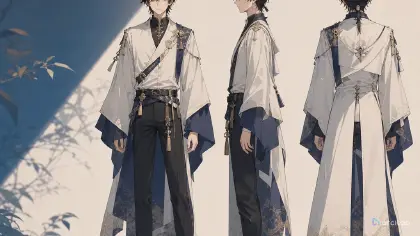
Group constraints by layer. Identity constraints protect face, outfit, hairstyle, and props. Composition constraints protect crop, camera, spacing, and focal point. Surface constraints protect style, material, and lighting. Output constraints protect text, logo, watermark, and aspect ratio. Grouping makes review easier.
Avoid forbidding the life of the scene. "No motion blur" may help a hand close-up, but it can hurt an action cut. "No background movement" may stabilize a portrait, but it can make a rainy street feel frozen. Use constraints that match the shot type.
Use author-safe wording. Do not ask for copied characters, protected logos, or named-artist imitation, then try to block problems afterward. Keep the positive prompt original and use negative constraints to prevent accidental symbols, fake brands, and style copying.
Revise constraints after review. If a constraint did nothing, remove it. If a new failure appears, add one precise line. Negative prompts should get shorter as the workflow learns.
Step-by-Step Negative Constraint Workflow
Write the approval target first: character, setting, action, camera, duration, and visual style. Negative constraints protect this target; they do not create it.
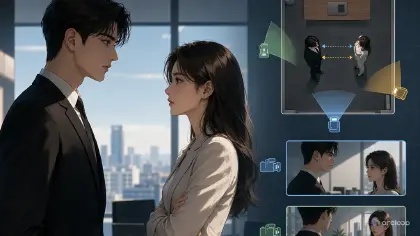
List the top three failure risks. A close-up may need extra-finger, off-model-face, and fake-text protection. A dance shot may need cropped-feet, outfit-change, and camera-shake protection. A multi-character shot may need no swapped outfits, no merged bodies, and no crowd clutter.
Convert each risk into a visible reject rule. Replace "no bad anatomy" with "no extra fingers, no fused fingers, no broken wrist." Replace "no messy scene" with "no crowd in front of the two leads, no overlapping faces."
Keep constraints close to their layer: identity near character, camera near camera, output cleanliness at the end. Use "no" for hard failures like logos, text, extra limbs, and redesign. Use "avoid" for softer risks like heavy blur or excessive clutter.
Run a cheap draft, mark which constraints worked, remove unnecessary lines, and revise only the failed layer. Promote recurring constraints into asset notes; keep one-time constraints in the shot card.
ArcLoop Review Method for Constraints
ArcLoop makes negative constraints practical because reject rules sit beside generated takes. Compare each draft to the shot card: identity, action, composition, continuity, output cleanliness, and polish.
Use three levels. Character assets hold persistent negatives: no redesign, no prop swap, no copied symbols. Shot cards hold scene-specific negatives: no cropped hands, no crowd in front, no camera jump. Review notes hold take-specific repairs: keep the face, repair the left hand, remove fake lettering from the sign.
This prevents constraint bloat. A one-time problem should not become a permanent universal rule. When a draft is close, regenerate narrowly: keep the approved identity, camera, action, and lighting, and change only the constrained failure.
Example Prompt 1: Lunchbox Note Close-Up
Create a 6-second 2D anime close-up of an original student named Naya. She has a chestnut bob, a cream cardigan, a blue plaid skirt, and a small sunflower hair clip. Setting: quiet school rooftop at lunch, low concrete wall, soft spring clouds, bento lunchbox on her knees. Camera: locked close-up from above her shoulder, framing her face edge, both hands, the lunchbox, and a folded blank note.

Main action: Naya opens the lunchbox lid, slides the folded note under the lid with her right hand, then pauses before closing it. Style: clean cel-shaded anime, soft daylight, gentle fabric folds, subtle wind in hair.

Identity constraints: keep chestnut bob, sunflower hair clip, cream cardigan, blue plaid skirt, and shy focused expression. Hand constraints: no extra fingers, no fused fingers, no broken wrist, no note merging into the palm. Output constraints: the note must stay blank, no readable text, no fake subtitles, no logos, no watermark. Composition constraints: no cropped hands, no random second person, no camera jump, no lunchbox changing shape.
This prompt uses constraints as protection for the exact shot: hands, blank note, identity, and crop.
Example Prompt 2: Temple Bell Action Shot
Generate a 7-second 2D anime action shot of an original shrine runner named Eiko. She has cropped indigo hair, a red sleeveless haori, black leggings, white hand wraps, and a bronze ankle bell. Setting: stone stairway beside a mountain shrine during a windy dusk. Camera: low full-body three-quarter shot, stable side tracking, both feet and hands visible.

Main action: Eiko runs up three stone steps, grabs the wooden rail with her left hand, and pivots around the corner as the bronze ankle bell swings once. Visual style: sharp cel shading, warm dusk rim light, leaves blowing across the stairs, clear key poses.

Negative constraints by layer: no cropped feet, no hidden rail grip, no extra fingers on the left hand, no backward ankle, no haori redesign, no bell moving from ankle to wrist, no random weapon, no shrine sign with readable text, no logo, no photorealism. Avoid heavy motion blur that hides the pivot pose; keep background leaves secondary so they do not cover the body.
This action prompt does not ban all motion blur. It bans blur that hides the pivot, which is the actual risk.
Example Prompt 3: Constraint Cleanup Revision
Regenerate this take for @Pira at the alley tea stand. Keep the approved character, setting, camera, lighting, and main action: Pira lifts the brass tray as steam rises. Setting stays the narrow alley with hanging cups and wet brick floor. Current issue: fake text appears on the cups, the tray has a random logo, and her left glove changes color.

Create a polished 6-second 2D anime clip. Main action remains the same: Pira lifts the brass tray, turns toward the customer side of the counter, and balances three cups as steam rises. Keep lavender twin buns, tan apron, green fingerless gloves, square brass tray, wet brick floor, warm tea-stand light, and stable medium shot.

Repair only negative-constraint failures: remove all readable text from cups, remove all logos or symbols from the tray, keep both gloves green, keep the tray square and brass, keep three cups only. Do not change face, hair, outfit, camera, lighting, action, cup count, or setting. No fake subtitles, no watermark, no extra fingers, no new customer character, no camera crop through the tray.
This is a cleanup pass. It removes specific failures while protecting the approved take.
Common Mistakes in Negative Constraint Design
The first mistake is using a giant universal negative block. It makes prompts harder to read and may block useful motion, atmosphere, or stylization. Use the risks that belong to this shot.
The second mistake is writing vague negatives. "No bad quality" does not say what to reject. Name visible failures: no extra fingers, no fake text, no outfit redesign, no merged bodies, no camera crop through hands.
The third mistake is placing negatives before the scene. If the model sees only prohibitions before it understands the action, the result can become stiff. Lead with the positive shot.
The fourth mistake is banning the wrong thing. "No blur" in a fast running shot may remove energy. "Avoid heavy blur that hides the feet" is a better constraint.
The fifth mistake is letting output-cleanliness rules replace authorship rules. "No logo" helps, but you should also keep the positive character and world original so the prompt is not leaning on protected designs.
Finally, do not keep constraints forever just because they were useful once. Promote recurring rules to assets; delete one-time cleanup lines after the shot is fixed.
FAQ: Negative Prompts and Constraints
What negative constraints should I use for AI anime?
Use constraints tied to visible risks: no readable text, no logo, no watermark, no extra fingers, no fused hands, no outfit redesign, no face swap, no merged bodies, no cropped feet, no camera jump, and no photorealism when you need a 2D anime look.
Are negative prompts enough to fix bad outputs?
No. Negative constraints prevent specific failures, but the positive prompt must still define character, action, camera, setting, lighting, style, and review goal. A shot cannot be built from prohibitions alone.
How long should a negative prompt be?
Short enough that every line has a job. For most short anime clips, three to eight precise constraints are better than a long generic list.
Should I reuse the same negative constraints in every prompt?
Reuse persistent rules only when they protect recurring assets, such as no character redesign or no logo. Keep shot-specific constraints in the shot card and remove them when they no longer apply.
How do I keep constraints from piling up?
Put persistent negatives on the character asset — no redesign, no prop swap — and one-time negatives on the shot card, then delete the shot-card ones once they no longer apply. When a draft is close, regenerate narrowly: keep everything approved and change only the constrained failure, instead of rebuilding the whole prompt.