The Problem
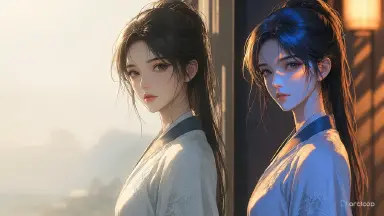
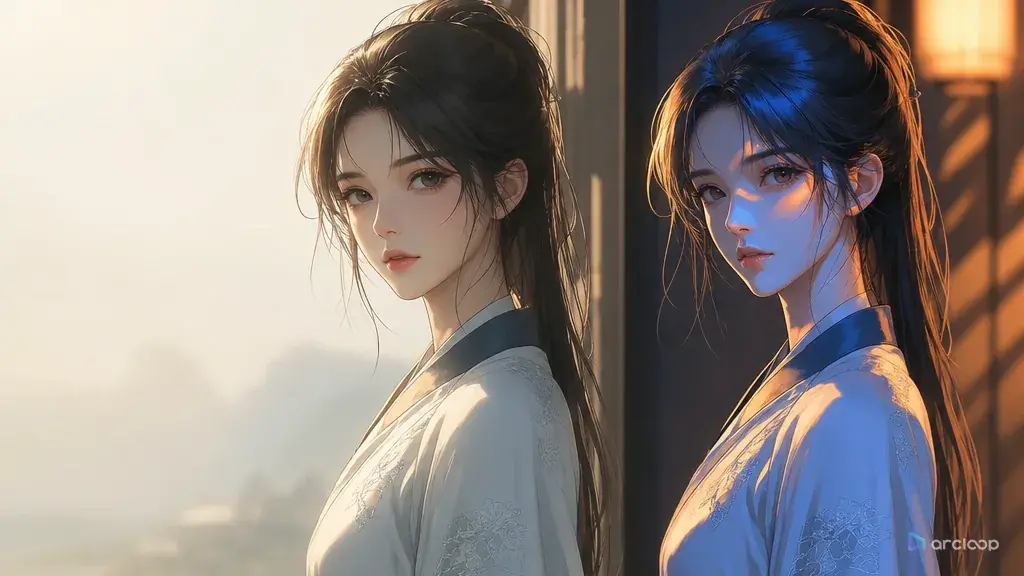
You've already fixed the character changing every shot, the turnaround holds up, and multi-character blocking is clean — but the finished cut still feels off. The first shot is cool white office light, the second looks like sunset, and the shadow on the character's face falls the wrong way in the third. The character hasn't changed, but viewers still sense it's not the same scene. Rerunning single shots over and over just produces more good-looking material that doesn't match. Lighting isn't part of the character asset — it has to be written into the time, light source, color temperature, and shadow direction of every shot description before it goes into the final cut.
Lighting consistency needs to go from a style word to a review field. Write out time, light source, and color temperature in the workspace, manage shot order with the AI short drama guide, and check it against the standard face, outfit, and color palette in the character asset guide. That's what makes finished material read as one episode instead of a patched-together sample reel when you're producing at volume.
How It Works
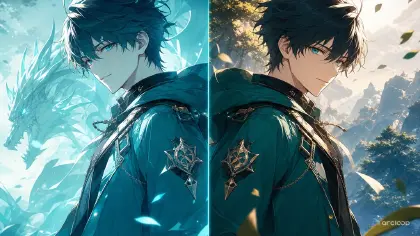
Lighting consistency covers time of day, light direction, color temperature, shadow, reflection intensity, and ambient brightness. Just writing "cinematic lighting" doesn't help, because it doesn't guarantee continuity across shots. The system might generate great-looking light every time, but no two shots' light belongs to the same scene.
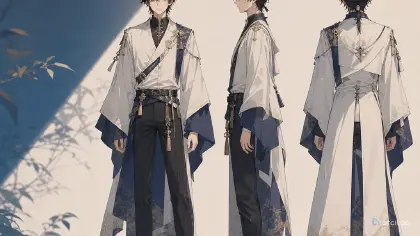
In AI short drama and AI anime drama, lighting also affects character consistency. Strong side light can change the read of a face shape, backlight can swallow a hairline, and colored ambient light can shift costume color. A character that was actually stable ends up looking like it changed across shots again. When judging this, go back to the character asset hierarchy: the character brief defines what can't change about the look, the turnaround and four-view define different angles, the character reference sheet shows the standard color palette, and the character asset stores all of it. Confirm it's a lighting drift before assuming the character needs a redesign.
The full pipeline is concept → script → storyboard → video → voiceover → edit. Lighting fields should be written in at the storyboard stage, referenced during video generation, and reviewed before editing. Use storyboard templates, the character asset guide, and the AI short drama workflow together for this.
Step by Step
Step 1: define time and space for each scene. For example, "night office, cool white overhead light, faint blue light through the window." Don't redefine the mood for every single shot.
Step 2: write down the main light direction. Front-left, upper-right, behind, overhead — all need to be explicit. A character's face can catch light differently as they turn, but the light source's position shouldn't jump around.
Step 3: write down the color temperature. Warm yellow, cool white, blue-violet, sunset orange — all workable, but keep it consistent within one scene. An AI anime drama can go more stylized, but it still needs a rule.
Step 4: write down shadow and reflection. Whether there's a hard shadow, which side the facial shadow falls on, and whether glass, tabletops, or metal props reflect light — all need to hold steady across key shots.
Step 5: put lighting into the shot-by-shot list. Every shot should have at least four fields: time, light source, color temperature, shadow. That way generation isn't relying only on a style word.
Step 6: review lighting before you assemble the cut. If adjacent shots show a big gap in facial brightness, costume color drift, or a shadow falling the wrong way, fix or redo before moving on. Within a single scene under 15 seconds, lighting has to stay continuous; for anything past 30 seconds, use a transition shot or a scene reset to bridge it — but don't let the same cool white lamp over the same table suddenly turn into warm sunset light.
Step 7: make commercial trade-offs. High-consistency lighting improves the feel of the finished piece, but it also raises rerun cost. Prioritize the main conflict, cover shots, and reusable scenes; ordinary transition shots can carry a lower bar and get cleaned up in editing.
Step 8: turn approved lighting into a scene asset. Something like "night office, cool white overhead light," "rainy-night convenience store, warm yellow light," or "evening hallway, side backlight" can all go into a scene asset. The next time an episode returns to the same space, reference the scene asset's lighting directly — calling on a scene rule the same way you'd call on a character identity — instead of rewriting "premium mood" from scratch. It's more consistent, and it holds up better at production volume.
Prompt / Spec Examples You Can Copy
Example 1: Lighting Spec Sheet
Build a lighting consistency spec for this AI short drama scene. Scene: night office. Time: late night. Main light source: cool white ceiling light, angled down from slightly above and to the right of the character. Fill light: faint blue light through the window, affecting only the background edges. Color temperature: primarily cool white, with a slight blue ambient tint. Shadow: a light shadow on the left side of the face, no strong backlight. Reflection: a slight reflection on the meeting table. Every shot must hold to this same lighting rule to avoid a stitched-together feel and face changes across shots.
Example 2: Video Prompt With Lighting Fields
Generate a 6-second vertical AI short drama shot. Use the character asset ZH-001, keeping the look photo and turnaround consistent. Scene: night office. Lighting: cool white overhead light from upper-right, faint blue window light only at the background edges, a light shadow on the left side of the face, a slight reflection on the meeting table. Action: the lead pushes a voice recorder to the center of the table and looks up at the other person. Blocking: lead in the right foreground, the other party in the left background. No change in light direction, no shift from cool white to warm yellow, no heavy shadow covering the face.
Example 3: Lighting Consistency Review
Review the lighting consistency across 12 AI short drama shots. Fields: whether time of day is consistent, main light direction, color temperature, facial shadow, costume color, background brightness, prop reflection, how adjacent shots connect, and whether it affects character recognition. Output pass, fixable with color correction, or needs a redo. Focus on catching the review gap: a lighting jump within the same scene, a shadow falling the wrong way, or a character reading as changed because of lighting. Commercial read: which shots need to hold quality, and which can be cut.
Common Failure Modes and Fixes
The first failure mode is writing only "premium lighting." The fix is writing light direction, color temperature, shadow, and reflection — not just an aesthetic word.
The second failure mode is changing the light in every single shot. The fix is building a lighting spec per scene, not generating it fresh per shot.
The third failure mode is lighting that undermines character recognition. The fix is avoiding a heavy shadow that covers the face, especially where the lead's look-photo anchors need to stay clear.
The fourth failure mode is not catching a lighting jump until after editing. The fix is reviewing material as it comes in, not waiting until the whole episode is cut together.
The fifth failure mode is holding every shot to the same fix priority. Commercially, this needs tiers: cover shots, twist shots, and key-line shots get quality priority first; transition shots can be cut if needed.
The sixth failure mode is overlooking costume color drift. Inconsistent lighting can make the same outfit look like a costume change, which then gets misread as a character inconsistency. When fixing this, check against the costume color in the character asset first, before deciding whether it's the character or the lighting that's actually broken.
FAQ
Does lighting consistency matter more than character consistency?
Character consistency comes first, but lighting affects character recognition. If the lighting is inconsistent, even a stable character can start to look like it's changing.
Can an AI anime drama use more dramatic lighting?
Yes, but it still needs a rule. Color temperature, main light source, and shadow direction should stay consistent within one scene — don't swap the whole lighting setup shot to shot.
Can lighting problems be fixed in color grading afterward?
Minor color temperature and brightness issues can be graded. Shadow direction, a face getting obscured, and recognition problems from strong backlight usually need a redo.