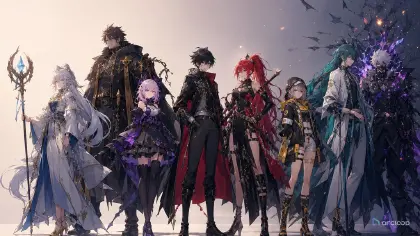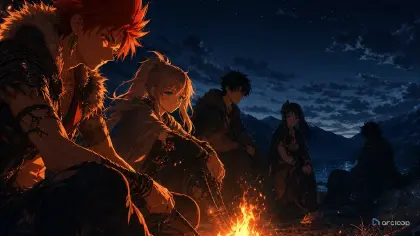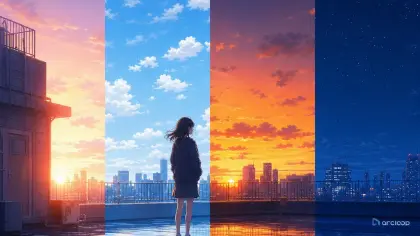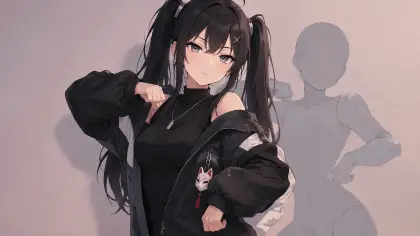
Introduction to AI Anime Trailer Prompts
An anime trailer should make the viewer ask one strong question. What is sealed under the city? Why did the quiet classmate burn the map? Can the crew cross the sky bridge before dawn? Bad trailer prompts skip that question and ask for "epic anime action, dramatic shots, explosions, emotional scenes, cinematic montage." The result may look loud, but it has no hook, no premise image, no character vow, and no reason to continue.
A useful AI anime trailer prompt is a structure, not a pile of effects. It decides the opening hook, the one image that explains the premise, the character vow, the danger flash, and the final question. The trailer does not need to reveal the entire plot. It needs to sell the pressure.
This guide explains how to write prompts for anime trailers, teaser clips, story announcements, web series previews, and short concept pitches. Build the cast as character assets in My Assets first, then reference them with @ in each shot card inside Episodes — that's what keeps identity stable across the beat board. For a template starting point, open Hook to Reveal Storyboard or browse 2D Animation AI Templates.
Core Principles for Anime Trailer Structure
The first principle is hook before spectacle. A strange quiet image can be stronger than a battle. A classroom clock running backward, a ferry arriving without passengers, or a garden statue blinking can make the audience lean in.
The second principle is one premise image. The viewer should understand the show's unusual rule through a shot, not a paragraph. If the story is about letters that predict accidents, show a letter changing while the character watches.
The third principle is a character vow. Trailers need someone to want something. The vow can be spoken later, but the shot prompt should show the decision: a hand closing around a key, a character stepping through a gate, a friend refusing to run.
The fourth principle is danger flash, not plot summary. A trailer should show the cost without explaining every answer. Use one sharp image: cracked moon glass, empty uniforms on a train, a shadow under the pool, a city block folding upward.
The fifth principle is a final question. End on a visual that makes the next beat necessary. Do not end by resolving the conflict. End with the door opening, the signal turning red, or the lead seeing the impossible thing.
The sixth principle is continuity over volume. If each trailer shot invents a new cast, setting, palette, and prop, the viewer cannot build trust. Keep the same character sheets and world rule across the storyboard.
Step-by-Step AI Anime Trailer Prompt Method
Write the trailer question first. Use one sentence: "Can a failed weather student stop tomorrow's storm after seeing it trapped inside a glass fish?" This keeps the trailer from wandering.
Build the beat list. Use five compact beats: hook, premise image, character vow, danger flash, final question. If you have more, put them in a storyboard, not one prompt.
Define the lead character and motif. The trailer needs an identity anchor: jacket, scarf, tool, charm, instrument, school pin, or strange object. Use the same anchor in several beats.
Write each beat as a shot prompt. A hook shot might be five seconds and locked. A danger flash might be three seconds with a fast push-in. A vow shot might be a close-up of hands before a face reveal.
Control reveal order. Do not show the monster, solution, betrayal, and final rescue in the first prompt. A trailer should escalate from curiosity to pressure.
Add camera and sound-planning notes only where they affect the shot. Even when you are not generating audio, a shot description can mention silent opening, hard cut, held breath, or trailer-card gap as timing guidance — write it into the shot itself rather than a separate document. When you do need spoken lines, generate them in Edit with Generate Voiceover instead of reaching for an outside tool.
End with constraints and review checks. Preserve cast identity, keep the motif visible, avoid fake text, avoid unrelated new characters, avoid revealing the ending, and reject shots that do not support the trailer question.
Premise to Shot Cards: The Trailer Workflow in ArcLoop
ArcLoop's trailer workflow is short and useful: premise, cast, motif, beat board, shot prompts, rough draft, review. Start in ArcLoop Worlds if the trailer belongs to a recurring project. Build the cast as character assets in My Assets first, and keep the world's visual references in the same project — every trailer shot pulls from there.
Use Hook to Reveal Storyboard to build the first pass. The board should show the hook, premise image, vow, danger flash, and final question. This is enough to test whether the trailer sells a story instead of generating disconnected action.
Review the rough pass against the trailer question. If the viewer cannot guess the genre, pressure, and lead desire, fix the beat order before polishing. If the identity drifts, return to the character sheet. If the danger flash reveals too much, make it shorter or more symbolic.
Shot duration, camera notes, and title-card gaps belong in the shot description itself — write them there rather than in a separate file. When the trailer needs spoken lines or music, add them in Edit with Generate Voiceover and BGM after the shots are cut, so timing lines up with the picture instead of being guessed in advance.
Example Prompt 1: Glass Fish Hook
Create a 5-second 2D anime trailer hook shot for an original fantasy school series. Trailer question: can a failed weather student stop tomorrow's storm after seeing it trapped inside a glass fish? Character: Yula, a nervous weather-club student with short cloud-gray hair, amber eyes, a blue school cardigan, and a silver rain gauge pin. Setting: empty classroom aquarium after sunset. Main image: one transparent glass fish swims in the tank with a tiny storm cloud flashing inside its body. Yula leans into frame, reflected in the aquarium glass, and her rain gauge pin trembles. Camera: locked close-up through the tank glass, slow push-in on the fish, no cuts. Style: clean 2D anime trailer, moody blue classroom light, sharp eye reflection, quiet suspense. Keep Yula's hair, cardigan, pin, and face consistent. No text, no logo, no extra students, no monster reveal, no photorealism, no fake title card.
This hook does not explain the whole plot. It gives the trailer one impossible image and one character who notices it.
Example Prompt 2: Clockwork Library Vow
Generate a 7-second 2D anime trailer vow shot for an original mystery adventure. Lead character: Cavo, a young library page with dark curly hair, round bronze glasses, a green messenger cape, and a cracked hourglass key tied to his wrist. Setting: underground clockwork archive, giant shelves rotating slowly, paper dust in gold light. Trailer beat: character vow. Main action: Cavo sees the shelves turning toward a sealed door, grips the cracked hourglass key, steps across the moving floor, and looks back once as if promising not to abandon someone. Camera: medium three-quarter shot, slow side track, key and face both visible. Style: cinematic 2D anime, warm brass palette, readable key poses, restrained emotion. Preserve cape, glasses, key, and hair shape. No text, no logo, no random companion, no final door reveal, no extra limbs, no realistic rendering.
The vow is shown through action. The prompt does not need a speech paragraph because the hand, step, and look back carry the decision.
Example Prompt 3: Final Question at the Salt Theater
Create a 6-second 2D anime trailer final-question shot for an original seaside supernatural drama. Lead character: Rassi, a quiet stagehand with black bobbed hair, pale green eyes, a charcoal work jacket, and a white shell earpiece. Setting: abandoned salt theater at low tide, rows of wet seats, stage curtains crusted with crystals, moonlight through broken ceiling beams. Trailer beat: final question. Main action: Rassi stands alone on the stage, hears the shell earpiece glow, pulls the curtain rope, and reveals only a bright rectangle of ocean water where the backstage wall should be. Camera: wide shot that slowly pushes toward Rassi from behind, ending before the viewer can see what is in the water. Style: atmospheric 2D anime trailer, silver-blue palette, soft salt dust, curtain motion, held suspense. Keep jacket, bob haircut, and shell earpiece visible. No text, no logo, no creature reveal, no explanation, no extra cast, no photorealism.
This is a trailer ending, not a story ending. It stops at the impossible reveal so the viewer wants the next shot.
Common Mistakes in AI Anime Trailer Prompts
The first mistake is revealing everything. If the prompt shows the villain, backstory, final battle, power-up, rescue, and ending, there is no trailer question left.
The second mistake is replacing structure with intensity. Explosions, speed lines, tears, and dramatic lighting do not matter if the viewer cannot identify the premise or lead desire.
The third mistake is making every shot a different show. Keep the same motif, cast anchors, palette logic, and world rule across the trailer board.
The fourth mistake is using fake title text. Broken generated lettering weakens the trailer. Leave clean frames or title-card gaps for controlled design later.
The final mistake is polishing before the beat order works. A beautiful danger flash in the wrong place can make the trailer confusing. Fix the storyboard first.
FAQ
What should an AI anime trailer prompt include?
Include the trailer question, beat type, lead character, premise image or motif, action, camera, style, endpoint, and constraints. Keep each prompt focused on one trailer beat.
How long should an anime trailer be?
For drafting, start with five beats rather than a fixed runtime: hook, premise image, character vow, danger flash, final question. Generate short clips for each beat and assemble only the ones that work.
How do I make a trailer exciting without revealing the whole story?
Show pressure, not answers. Use a strange hook, a clear vow, one danger flash, and a final unresolved image. Avoid explaining the monster, solution, or final outcome.
Should I generate title cards inside the trailer prompt?
Usually no. Ask for clean frames or title-card gaps, then add real typography separately in the production workflow. This avoids broken fake text.
How do I keep a trailer's cast consistent from hook to reveal?
Build each character once as a character asset in My Assets, then reference them with @ in every shot card across the trailer's beats. Because identity comes from the asset instead of being re-typed each time, the cast doesn't drift between the hook and the final reveal.