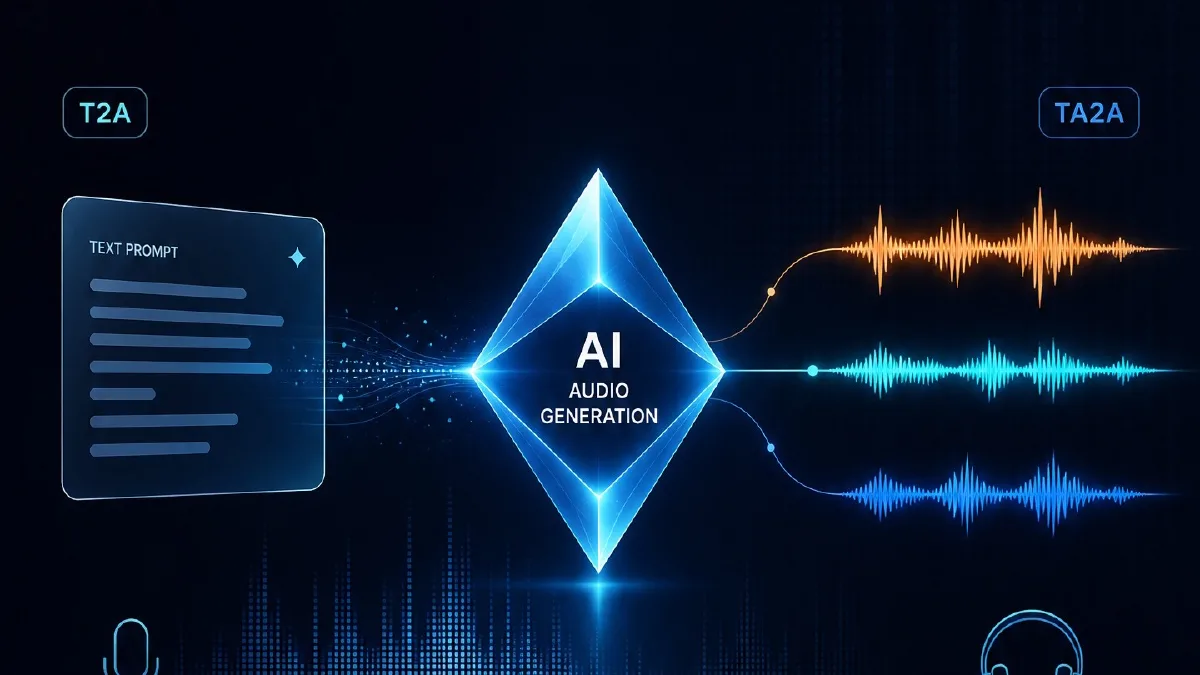
Many first-time users treat Doubao Audio Generation Model 1.0 like normal text-to-speech: paste a line, expect the model to invent the performance. That may produce clear speech, but it rarely produces a scene. The practical lesson is simple: Doubao Audio 1.0 responds best to director-style prompts. Do not write only the line. Put the character, delivery, ambience, sound effects, and music on the same timeline.
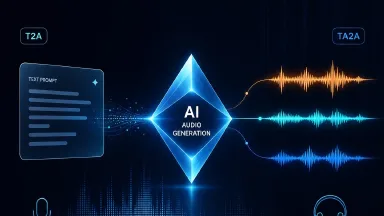
Start by choosing T2A or TA2A
T2A, text/image to audio, is for creating from scratch: character dubbing, narration, drama snippets, virtual hosts, and audiobook passages. A reference image can help with visual character cues, but one request can use only one image, and it cannot be combined with reference audio.
TA2A, text plus reference audio to audio, is for keeping a voice stable. Upload 1 to 3 reference audios, or use a library/cloned voice, then explicitly reference @audio1, @audio2, or @voice1 in the prompt.
- Use T2A when you are exploring performance direction.
- Use TA2A when a recurring character needs to sound consistent.
- For multi-speaker scenes, bind each speaker to the correct reference inside the prompt.
The main prompt structure: write a timeline
The stable pattern is not “emotion + line.” Write the audio in sequence: how music starts, who enters, how speaker A talks, what sound effect interrupts, and how speaker B replies. Think of the prompt as a sound storyboard. Each beat says who is speaking, how they speak, and what else is audible.
Music or ambience starts: style, instruments, rhythm, or space.
Speaker A (age, gender, voice texture, accent, emotion, role) says: "line."
SFX: what happens, how intense it is, how many times, or how long it lasts.
Speaker B responds with their own voice and delivery.
Ending: how music, footsteps, a door, phone distortion, or ambience resolves.
How to write character dialogue
Place character direction before the first line, or in a short character list. Multi-speaker scenes need names, roles, or speaker numbers; “male voice” and “female voice” are not enough. The parenthetical description can include age, gender, voice texture, accent, emotion, role, distance, and speaking habits. Audible behavior beats abstract mood words.
- Useful: low, raspy, breathy, magnetic, phone-distorted, Taiwanese accent, slower pace, trembling endings.
- Risky alone: premium, broken, cinematic, destined. Convert abstract words into audible behavior.
- Do not over-stack emotion. Exaggerated emotion direction can make the result less natural.
SFX and music are part of the prompt, not decoration
One advantage of Doubao Audio 1.0 is that dialogue, effects, ambience, and music can be generated together. You can describe sound effects in plain language. For SFX, write order, intensity, count, and duration. For music, write style, leading instrument, rhythm, and mood. If you do not know the instrument, describe the feeling naturally.
First, a phone vibrates. Birds continue in the background.
Music enters with marimba and strings, tense and suspenseful.
Then a faint car passes, a soft brake sound follows, and two high-heel footsteps land in the distance.
How to write TA2A reference prompts
Reference audio is not magic. You still need to name the reference in the prompt and say whether it provides voice color, emotion, pace, or a character identity. With multiple references, either bind one reference to each character, or use one reference for voice and another for emotion and rhythm.
Male lead (young adult male, low and restrained, refer to @audio1) lowers his voice: "When did you find out?"
Female lead (young woman, gentle but guarded, refer to @audio2) waits half a beat and replies: "The first time you lied."
Keep the music low and suspenseful. Add a faint phone-current noise at the end of the line.
Copyable T2A template
Run this once, then adjust one variable at a time: voice, emotion, pacing, or SFX.
Music: a restrained low-frequency suspense bed enters first. Slow tempo, soft string texture.
Characters:
Lin Chen (young adult male, low raspy voice, slow pace, emotion held back, afraid but unwilling to admit it)
Xu Yao (young woman, clear but tired voice, slight trembling at line endings, trying to stay calm)

SFX: a phone vibrates once, then light rain continues.
Lin Chen lowers his voice and says: "Did you hear that? Someone is upstairs."
Xu Yao pauses for half a beat, inhales, and answers very softly: "Don't turn around. Keep walking."
SFX: a wooden door opens slowly in the distance. The low note in the music becomes heavier.
Copyable TA2A template
When you already have reference audio for a character, bind it directly in the prompt.
Reference mapping: @audio1 is the male lead. @audio2 is the female lead.
Music: soft piano and room ambience, warm but regretful.
Male lead (adult male, low, breathy, refer to @audio1) says with restraint and reluctance: "If I don't come back tomorrow, stop waiting."
Female lead (young woman, gentle, tearful, refer to @audio2) cuts him off softly: "Whether I wait is not your decision."
SFX: light rain outside the window. Leave two seconds of silence after the last line.
Limits affect prompt length
A single generation is roughly up to 2 minutes. Input can be up to 3000 characters, but for good listening quality, keep spoken text under about 400 Chinese characters or a similar short passage. Overlong dialogue can force faster pacing or truncation. Reference audio is limited to 3 clips, each up to 30 seconds. Reference images are limited to one image per request and cannot be combined with reference audio.
- Drama dialogue: split scenes into 30 to 90 second beats.
- Audiobooks: split by emotional beat, not by chapter.
- Multi-character scenes: lock character voices first, then add SFX and music.
How to use this inside an Arcloop workflow
- Write the character voice anchor in the character bible: age, texture, accent, speaking behavior, and emotional boundary.
- Break the script into generation-sized beats. One beat should handle one main emotional turn.
- Choose T2A or TA2A per beat: T2A for exploration, TA2A for fixed characters.
- After previewing, save the working prompt as a character asset, and keep failed prompts with notes.
- Test the audio inside the storyboard or video cut, not only as a standalone clip.
FAQ
How is Doubao Audio 1.0 different from normal TTS?
Normal TTS reads speech. Doubao Audio 1.0 can generate an audio scene that includes dialogue, ambience, effects, and music.
Is a longer prompt always better?
No. Be concrete, not bloated. Start with timeline, speakers, line, effects, and music; add details only after listening.
How do I keep voices consistent in multi-character dialogue?
Use TA2A, bind each speaker to @audioN, and label speaker plus reference whenever they speak.
Will parenthetical actions be spoken aloud?
They can be. Convert important actions into delivery instructions, or clearly separate direction from spoken text. Always listen once before shipping.