Introduction: Environmental Storytelling Prompts That Make the World Talk
A common environmental storytelling failure looks expensive for one frame and hollow by the second. The hero stands in a throne room, the candles glow, dust floats, and every wall is covered with decoration. But nothing tells you who ruled there, why the hero came, what danger is nearby, or what choice the room is pushing toward. The background is attractive wallpaper, not story.
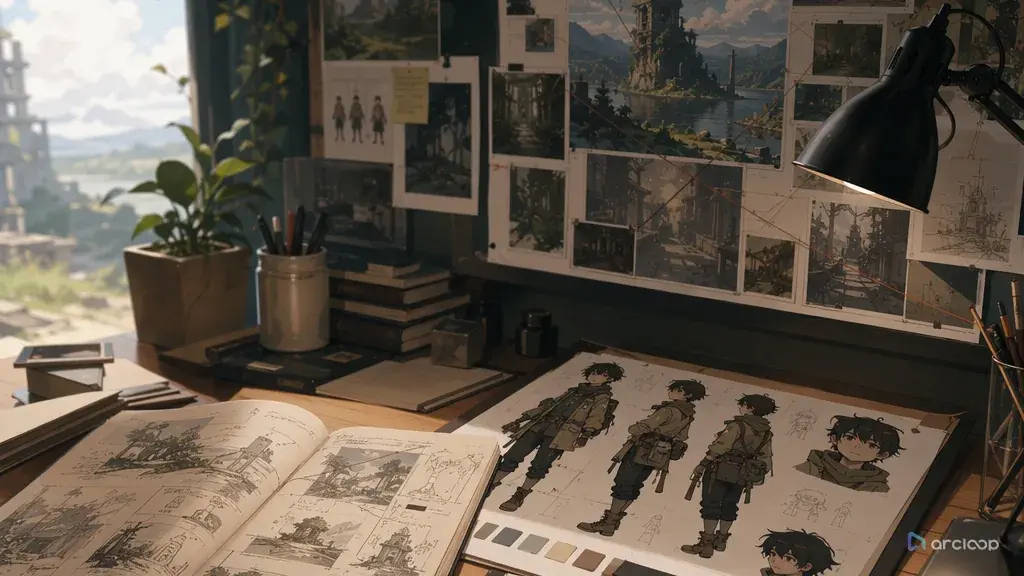
Environmental storytelling prompts fix that by treating the setting as evidence. A cracked lunch tin on a factory bench, a hand-painted route mark on a tunnel wall, salt lines across a doorframe, or a chair turned away from the table can tell the viewer more than a paragraph of lore. The goal is not to pack the image with props. The goal is to let a few visible details explain pressure around the character.
Use this guide when a scene needs worldbuilding that can be read without narration: abandoned schools, lived-in bedrooms, repair bays, temples, markets, laboratories, train interiors, fantasy inns, and post-battle streets. Start in 2D Animation AI Templates when you want a shot structure, or open ArcLoop Worlds when the location should keep returning across a series.
Core Principles for Environmental Storytelling Prompts
Begin with the story question, not the scenery. Ask what the viewer should learn from the room before the character speaks. Did someone leave in a hurry? Is the city rationing power? Does the village fear the forest? That answer decides which objects deserve space.
Use evidence that belongs to a human habit. Environmental storytelling becomes readable when objects show use: worn handles, folded uniforms, chipped bowls, taped repair notes, marked walking routes, stacked delivery crates, missing posters, or tools placed exactly where a character would reach for them. "Ancient magical room" is vague. "A spell classroom where every desk has scorch marks on the left side" gives the world a rule.
Keep the scene layered. The foreground can hold the clue, the midground can hold the character, and the background can explain scale. If every clue sits flat behind the character, the viewer may miss it. If every clue sits in front, the action becomes cluttered.
Tie the environment to the main action. A character should touch, avoid, notice, clean, repair, hide, or step around the story detail. When the body reacts to the setting, the world stops feeling pasted on.
Control specificity. One route mark, one damaged object, and one local rule are usually stronger than ten decorative nouns — those are the details the model should treat as nonnegotiable in a shot description, and everything else in the atmosphere can stay loose.
Protect continuity. If this location will appear again, repeat the same landmark, palette rule, and spatial relationship. A bakery with the oven on frame left should not become a kitchen with the oven behind the character in the next shot unless the storyboard explains the move.
Step-by-Step Environmental Storytelling Prompt Method
Write one plain sentence for the hidden story. Example: "This rooftop greenhouse is secretly keeping the city's clocks alive." That sentence may never appear on screen, but it gives every visual choice a job.
Choose the readable evidence. Pick three layers: a foreground object with wear, a midground action, and a background landmark. For the greenhouse, that could be cracked pocket watches used as plant labels, a character watering brass vines, and a skyline clocktower frozen at the same minute.
Define the character's relationship to the place. A visitor scans the room differently from an owner, thief, apprentice, or caretaker. Put that relationship into the action. "She gently turns the broken watch label back toward the sun" tells us more than "she stands in a greenhouse."
Set the camera for discovery. Use a slow push-in for a clue reveal, a side tracking shot for route marks, a wide shot for social rules, or a locked close-up when one object carries the story. Do not add a dramatic camera move if the viewer needs time to read the details.
Name the visual style and boundaries. 2D anime, painted background, clean cel shading, readable props, and consistent layout are useful. Also say what to avoid: no unreadable clutter, no random signs, no text as exposition, no sudden location redesign, no props blocking the face.
For a location that keeps recurring, build it once as a Scene in My Assets and reference it from every later shot card. Compare this guide with How to Write 2D Anime Animation Prompts if you need a broader animation structure.
How ArcLoop Keeps Environmental Storytelling in the Pipeline
Environmental storytelling should not be a last sentence attached to a finished prompt. In ArcLoop, the sturdier path runs: build the location as a Scene asset in My Assets, build each character as a character asset, lay out the Storyboard, then write the shot. The Scene asset holds the local rule and landmarks. The character asset keeps identity stable. The Storyboard decides when the viewer sees each clue. The shot description turns that into one frameable action.
This matters because background detail is expensive to fix late. If a room looks beautiful but tells the wrong story, polishing only makes the wrong idea sharper. Generate a low-cost draft first, keep the canvas open, and ask four questions: can I identify the location, can I identify who uses it, can I see what changed, and can I tell why the character cares?
Use Hook to Reveal Storyboard when the clue needs a reveal beat. Use ArcLoop Worlds when the same location needs to support multiple shorts, covers, and character scenes without drifting into a new setting every time.
Example Prompt 1: Rooftop Clock Greenhouse
Create a 7-second 2D anime scene inside a rooftop greenhouse at dawn. Character: Elian, an original apprentice clock gardener with copper-brown hair, rolled green sleeves, round amber goggles, and a belt of tiny pruning tools. Hidden story: the city grows replacement clock parts from living vines. Camera starts in a close foreground view of cracked pocket watches used as plant labels, then slowly pulls back to a medium shot of Elian watering brass-leaf vines. In the background, one skyline clocktower is frozen at 6:17. Use clean painted background detail, soft sunrise light through dirty glass, readable tool placement, and gentle vine motion. Keep Elian's face, goggles, sleeves, and tools consistent. No exposition text, no random extra machinery, no clutter hiding the watch labels, no photorealism.
This prompt makes the world rule visible through work habits. The character is not posing near lore; he is maintaining it.
Example Prompt 2: Storm-Salted Harbor Kitchen
Generate an 8-second 2D anime interior shot of a small harbor kitchen after a magical storm. Character: Ruelle, an original tide cook with short black curls, a coral apron, patched rubber boots, and a shell-shaped measuring spoon. Camera is a locked wide shot from the doorway. She steps over a pale salt line on the floor, checks a cracked kettle tied shut with blue string, and lifts one bowl from a row of bowls marked by different tide stains. The window shows fishing boats tied with emergency knots. Use warm lamplight, damp wood texture, steam from the kettle, and clear foreground-midground-background separation. Preserve the apron, boots, spoon, and room layout. No readable labels, no modern appliances, no extra characters, no blurry prop detail.
Here the kitchen explains the storm economy without a speech. The salt line, repaired kettle, and tide-stained bowls carry the story.
Example Prompt 3: Border Library Checkpoint
Create a 6-second 2D anime checkpoint scene in a border library where travel permits are bound as books. Character: Tavin, an original junior archivist with sandy hair, a navy tabard, ink-stained gloves, and a square bronze stamp. Camera uses a medium side view with stable screen direction. Tavin slides one thick permit book across a worn counter, hesitates when the pages flutter by themselves, then stamps the blank final page. Foreground: frayed rope queue line and polished counter edge. Background: tall shelves divided by colored border ribbons and a distant gate shaped like an open book. Use crisp line art, muted institutional colors, and one clear supernatural page motion. No wall of text, no random symbols, no changing stamp design, no crowd blocking the action.
This example uses layout as storytelling. The viewer understands the border rule because the action, prop, and architecture all agree.
Common Mistakes in Environmental Storytelling Prompts
The easiest mistake is writing atmosphere instead of evidence. "Mysterious, old, detailed, cinematic" may create a mood, but it does not explain what happened in the place. Replace mood padding with a visible clue.
Another mistake is using signs as a shortcut. In-frame text often renders poorly and can feel like a caption disguised as background art. Let objects, wear, placement, and behavior explain the world instead.
Do not make every prop important. If the viewer has to inspect twenty objects, none of them becomes the clue. Choose one hero object, two support details, and leave breathing room around the character.
Creators also forget scale. A bedroom, shrine courtyard, factory floor, and city gate need different camera distances. If the setting's size is part of the story, give the camera enough room to show it.
Finally, avoid changing the location after every retry. If the draft has the right landmark but weak lighting, keep the landmark. Repair the failed layer instead of rebuilding the whole world.
FAQ for Environmental Storytelling Prompts
How much lore should an environmental storytelling prompt include?
Use only the lore that changes the frame. A private note like "the city grows clock parts" is useful because it tells you which objects to show. A full history of the city usually distracts from the shot.
Should I describe the background before the character?
Describe the story function first, then the character and camera. If the environment drives the scene, give it early priority, but still attach it to a character action so the frame does not become a static set.
How do I keep environmental details consistent across a series?
Save the location rule, landmark, palette, and recurring props as a Scene asset in ArcLoop Worlds. Reuse that Scene asset with new shot cards, then change only the scene action and time of day.
How do I plan environmental storytelling instead of just rendering it?
Plan it first: build the location as a Scene asset and each character as a character asset in My Assets, lay out the Storyboard so the viewer sees the environmental clue at the right beat, then write the shot description last. That makes the setting part of production planning instead of a decorative prompt add-on.