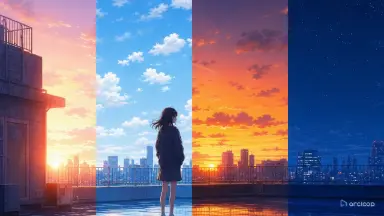
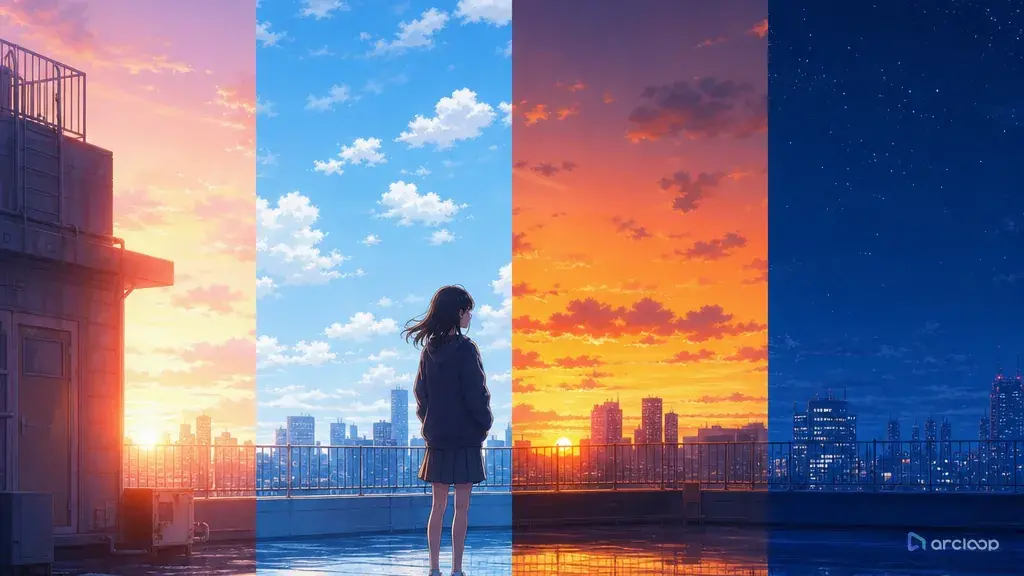
Introduction: When Every Time of Day Looks the Same
You build a morning training scene, a noon chase, a sunset confession, and a night lookout shot. The prompts all mention different times, but the clips come back with the same soft blue-orange glow. The character is readable, yet the story time has no weight. Viewers cannot tell whether the scene is early, late, urgent, tired, or dangerous.
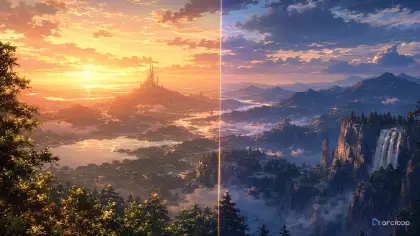
Time of day is not just a color filter. It changes shadow direction, contrast, skin tones, background visibility, practical lights, and the emotional logic of the scene. Dawn can make a character look unprepared. Noon can expose every mistake. Dusk can soften a goodbye. Night can hide information while signs, lamps, and screens become the main light sources.
This guide shows how to prompt time-of-day light color for AI anime shots without turning every scene into the same vague mood. Use Style Pack Templates when you need a visual baseline, and build the location as a Scene asset inside ArcLoop Worlds when it needs to appear at multiple times of day, so each version still reads as the same place.
Core Principles for Time-of-Day Light Color
Name the light source before the palette. "Golden" is a color. "Low sun behind the greenhouse glass, creating warm rim light and long floor shadows" is a lighting plan — naming the source pins down where the highlights and shadows fall, instead of leaving the model to guess.
Separate time from weather. A rainy dawn, clear dawn, and foggy dawn should not look identical. Time controls sun angle and color temperature; weather controls diffusion, visibility, reflections, and atmosphere. Prompt both only when both matter.
Use shadows as evidence. Morning and late afternoon usually create longer shadows. Noon creates shorter, harder shadows. Overcast days soften shadow edges. Night scenes depend on practical lights such as vending machines, lanterns, desk lamps, train windows, or monitor glow.
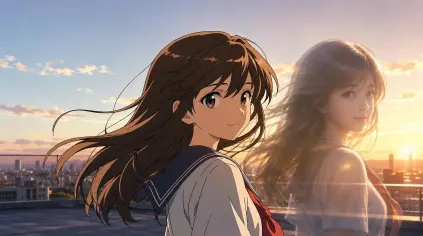
Protect character identity under color shifts. Strong sunset rim light or neon night color can alter hair, eyes, and outfit values. Repeat the character anchors and specify that the color grade should not redesign the costume.
Match time of day to story pressure. A sunrise promise, noon public failure, dusk departure, and midnight secret all ask for different emotional contrast. The lighting should clarify the beat, not just decorate it.
Keep the palette simple. For short anime clips, one dominant light color, one shadow color, and one accent light are often enough. Too many color instructions can flatten into a generic fantasy gradient.
Step-by-Step Time-of-Day Prompt Structure
Start with the scene's clock. Use a precise phrase: blue dawn before shops open, hard summer noon, late afternoon after club practice, last orange light before rain, deep night lit by vending machines, or pre-sunrise gray.
Define the light source and direction. Say whether the light comes from behind the character, through blinds, from overhead, across wet pavement, from a desk lamp, or from signs outside a window.
Describe shadow behavior. Long shadows, hard-edged noon shadows, soft overcast shadows, broken leaf shadows, window-frame stripes, or no visible cast shadows under heavy fog all help the model understand the time.
Add color relationships. Pair warm highlights with cool shadows, blue dawn with pale skin tones, green fluorescent interiors with neutral outdoor dusk, or amber lamp light against violet night.
Connect light to action. A character may step from shadow into sun, shield their eyes, hide a face in backlight, turn off a lamp, or watch sunset color leave the room. This makes the light part of the scene.
Set camera and constraints. Mention whether the shot is close-up, wide, locked, or tracking. Add no random time shift, no changing outfit colors, no washed-out face, no unreadable silhouette, no text, and no watermark.
Store Lighting Rules on the Scene Asset
Write each time slot's light rule into the Scene asset's description in My Assets — dawn's rim light angle, noon's shadow length, dusk's palette, night's practical lights — and bind a reference image for each if you have one. If the same bakery, rooftop court, or shrine path appears across episodes, every shot that uses that time slot references the same asset entry instead of a fresh guess.
Create a small lighting board before rendering important scenes. Put dawn, noon, dusk, and night versions of the location on separate cards, with notes for shadow length, practical lights, palette, and what the character should still look like. Then generate drafts from the card that matches the episode beat.
Review time-of-day passes before polish. Ask three questions: can I tell the time without reading the prompt, does the character remain on model, and does the lighting support the action? If one fails, refine that layer only. For a stylized baseline, 90s Cel Animation Snapshot can help set line work and color handling before you create the shot.
Example Prompt 1: Blue Dawn Delivery Courtyard
Create a 6-second 2D anime dawn shot for an original character named Niko Ashen.

Character identity: 16-year-old apprentice courier, sandy blond undercut, dark brown eyes, teal messenger cape, tan satchel with a round brass clasp, and scuffed blue sneakers. Scene: a bakery delivery courtyard before sunrise, flour dust on crates, closed shutters, and a narrow alley gate still locked.

Time-of-day lighting: blue dawn before the sun reaches the walls. Main light is cool skylight from above, very soft shadows under the crates, faint warm glow leaking from one bakery window. Action: Niko checks the locked gate, exhales visible breath, then notices the warm window light flicker as if someone is awake. Camera: medium wide shot, locked frame, enough room to show gate, crates, and Niko's silhouette.

Keep the teal cape, brass clasp, face shape, and sneakers consistent. No orange sunset, no harsh noon shadow, no rain, no text, no photorealism, no outfit color shift.
This prompt makes dawn visible through soft shadow, cool ambient light, and one warm practical window instead of only saying "morning mood."
Example Prompt 2: Hard Noon Rooftop Argument
Use the approved Niko Ashen character reference. Create a 7-second 2D anime noon shot on a school rooftop delivery stop.

Scene: Niko stands beside a rooftop water tank after being accused of losing an important letter. Time-of-day lighting: hard summer noon, sun high overhead, short dark shadows directly below the railings and water tank, bright concrete bounce light under the chin, saturated blue sky with almost no clouds.

Action: Niko opens the tan satchel, finds the brass clasp scratched, and looks up toward an unseen classmate with controlled frustration. Camera: medium close-up angled slightly downward so the noon light flattens the space and makes the moment feel exposed. Use crisp cel shading, high contrast on metal edges, and minimal atmosphere.

Preserve sandy blond undercut, dark brown eyes, teal cape, satchel shape, brass clasp, and blue sneakers. No golden sunset rim, no dramatic backlight, no night neon, no long shadows, no extra character entering, no text overlay.
Noon works because the prompt asks for short shadows, overhead exposure, and concrete bounce light. The scene feels public and unforgiving.
Example Prompt 3: Dusk Lantern Revision
Revise the selected Niko Ashen clip into a dusk continuity pass. Keep the same alley gate, bakery crates, teal cape, tan satchel, brass clasp, and medium wide camera layout.

Change only the time-of-day light color. The new scene happens after the failed delivery route, just before the shops close. Lighting: low orange sun behind the roofline creates a narrow rim on Niko's cape edge; the alley shadows are violet and longer than in the dawn version; two paper lanterns near the bakery door add small warm pools on the ground. Reflections on the brass clasp should catch the last sun for one beat.

Action: Niko ties the scratched clasp with string, looks toward the now-open gate, and steps forward with a tired but resolved expression. Final frame should clearly read as dusk, not dawn or night.

Reject if the character outfit changes color, if the shadows become short noon shadows, if the face is lost in silhouette, or if the lanterns turn into unreadable glow.
This revision keeps location and character stable while changing the lighting layer. That makes time continuity easy to review.
Common Mistakes in Time-of-Day Prompts
The most common mistake is naming the time but not the light behavior. "At sunset" can still produce a flat scene. Add sun direction, shadow length, rim light, and how the environment catches color.
Another mistake is using the same palette for every emotional beat. A confession at dusk, a chase at dusk, and a funeral at dusk need different contrast, camera, and practical lights even if the clock is similar.
Creators also let strong color grades redesign the character. If a red jacket becomes black under night light or blue hair becomes white under sun, the continuity is failing. Repeat identity colors and ask for lighting influence without costume replacement.
A fourth mistake is overloading night scenes with generic neon. Night needs a source: sign glow, bedroom lamp, vending machine, moon through curtains, dashboard light, or festival lanterns. Without a source, color becomes decoration.
Finally, do not fix time-of-day drift by adding more adjectives everywhere. Fix the shared lighting card or scene reference, then regenerate the affected shot from that clearer rule.
FAQ: Time-of-Day Light Color Questions
How specific should I be about time of day?
Specific enough that the light can be staged. "Late afternoon sun through classroom blinds" is stronger than "warm afternoon" because it controls direction, shadow shape, and composition.
Should I use a separate reference for each time of day?
Use separate cards when the same location returns often. A dawn, noon, dusk, and night card for one location is cleaner than rewriting the full prompt every time.
How do I keep a character consistent under strong lighting?
Repeat the identity anchors and state that the light affects the surface without changing the design. For example: "warm rim light on the teal cape, but the cape remains teal."
How do I keep the same location's lighting consistent across episodes?
Keep one Scene asset per location with a reference image and a written light rule for each time slot. Every shot that needs that location at that time references the same asset with @, so morning, noon, dusk, and night stay variations of one place instead of drifting into separate-looking sets.
Where should I begin?
Start with Style Pack Templates if the color language is still open. Once the location and character matter across multiple posts, build them as assets inside ArcLoop Worlds and draft the weakest time-of-day shot first.