
Introduction to Character Arc Design and Visual Growth
You generate five good-looking shots for a short about a stubborn apprentice captain. In the first shot she is defiant. In the second she looks shy for no reason. In the third she has a new jacket. By the ending she smiles, but the viewer cannot tell whether she earned that smile or the model simply made a pleasant face. The animation moves, the lighting works, and the comments still say, "What changed?"
That failure is not a rendering problem. It is an arc design problem. A character arc has to survive as visible evidence: posture, distance from other characters, hand position, costume damage, color pressure, eye contact, camera height, and the one action the character could not do at the beginning. If the change only exists in your private synopsis, the audience will not feel it in a short clip.
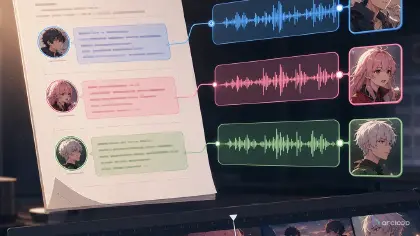
For AI anime shorts, design the arc before generating the slate. Build the character once as a character asset in My Assets, then let the arc beats live as separate shots in the episode's storyboard, each one referencing that same asset with @ — identity holds while the visible traits around it change. Start from character profile fields, build the project in ArcLoop Worlds, and compare versions with continuity checks.
This guide shows how to design a character arc and visualize character growth as one production asset: what the character wants, what they avoid, what pressure forces a choice, and which visual traits change across the short.
Core Principles for Anime Character Arc Design
A short arc needs one pressure line, not a full biography. "Tavio wants to keep his repair crew safe, but he refuses to ask for help" is usable because it creates behavior. "Tavio is complicated and haunted by the past" is too cloudy for shot planning.
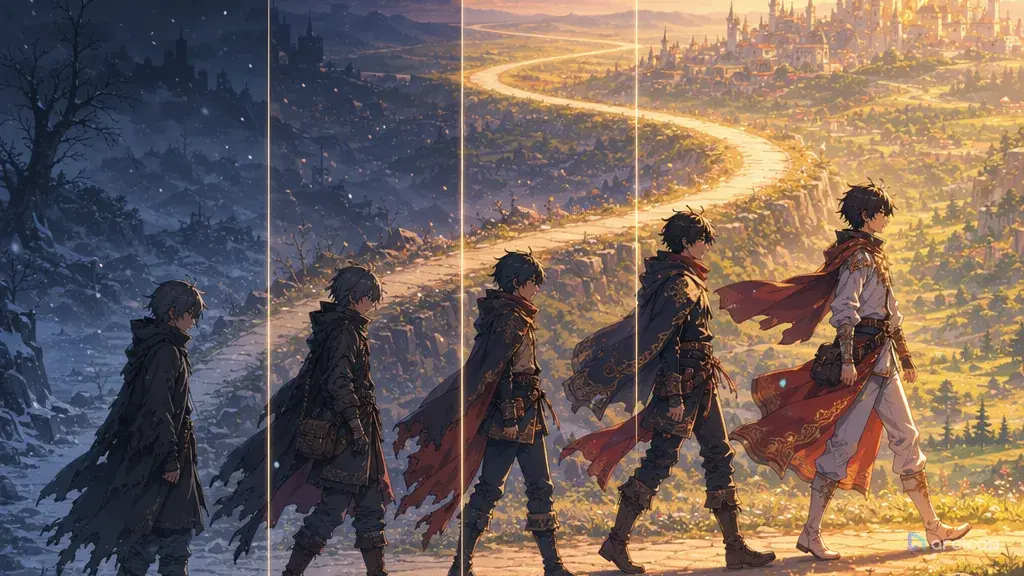
Growth must change something the camera can see. Confidence can become a lifted chin, steadier hands, a wider stance, or a move from the edge of the frame to the center. Treat inner change as a visual ladder.
Keep identity stable while behavior changes. Hair shape, face proportions, outfit silhouette, and signature prop should not mutate just because the character grows. If the story needs a costume shift, mark exactly what changes. Growth is not random redesign.
Show resistance before release. If the ending shot has the character trust someone, the opening should show what distrust looks like: crossed arms, no eye contact, back turned, or holding a tool alone.
Use color as a story signal, not a mood shuffle. Assign a limited palette rule to the arc: cold work lights for isolation, warmer bounce light when the crew gets closer, a clean white rim only when the choice is made. This keeps visual growth from becoming random color grading.
Review the arc in order: want, resistance, choice, visible change. If a generated shot is beautiful but does not answer one of those four items, it belongs in the reject pile or needs a narrow revision.
Step-by-Step Character Arc and Growth Workflow
Start with a one-sentence promise for the short: "A guarded mechanic learns to trust her crew before the airship falls." This is the rule that decides which shots matter.
Write four arc beats below it. The want beat names the goal. The resistance beat names the defensive habit. The pressure beat names the scene that makes the old habit fail. The reveal beat names the new behavior the audience can see. Keep each beat concrete enough to draw.
Create a visual growth ladder. For each beat, list posture, camera distance, palette, prop state, and relationship to the frame. Early shots might use cramped framing and a clenched wrench; later shots might widen the frame and show the wrench placed in someone else's hand.
Lock the identity anchors in the character sheet. Use Character Sheet Templates to define the face, hair, outfit silhouette, and signature object, then write a separate line for growth variables.
Turn the ladder into storyboard beats. Do not ask one prompt to cover the whole transformation. Make a short opening shot, a pressure shot, and a reveal shot. Each shot gets one primary action and one visible growth signal.
Generate a small slate for each beat inside the same ArcLoop project. Review the takes against the ladder before polish. If the handoff fails, revise the weak layer only: action, camera, palette, prop state, or expression.
Save the approved arc beats in Story Outline with the final shots so later episodes inherit how the character changes without drifting.
Growth Lives in the Shots, Identity Lives in the Asset
Character growth is a continuity problem wearing a writing-advice costume: the character asset carries what never changes — name, description, main image, reference images, voice — and each arc beat is a shot in the episode's storyboard that references that asset with @ while its shot description carries what's different this time: posture, distance, prop state, expression.
Build the project in ArcLoop Worlds when the character belongs to a continuing setting. Put the pressure line and the four arc beats into the Story Outline, one paragraph per beat — it autosaves, so you can adjust the sequence as the arc firms up. Keep the character asset as the identity source, and use scene assets only for space, lighting, or prop placement.
For each shot, use 2D Animation AI templates as a starting point, then replace the generic action with the arc beat. If the shot is supposed to show trust, write the exact behavior: shared grip, matching eyeline, stepping into the group, or handing over the object.
Review with Continuity Check Board. Score identity first, then arc readability, then shot quality. If the character looks right but growth is unclear, change the action or final pose.
Example Prompt 1: character arc in Story Outline for a Guarded Airship Mechanic
Create a character asset for an original 2D anime character named Tavio Vale, including his arc.

Character: Tavio Vale, a 19-year-old airship mechanic with copper hair tied under a blue work scarf, grease-marked cheek, patched gray overalls, and a brass torque wrench.
Arc promise: Tavio wants to keep the engine crew safe, resists trusting anyone with critical repairs, and grows by handing the wrench to a rival during the emergency landing.
Board sections: fixed identity anchors, growth variables, four story beats, visible posture changes, palette changes, prop-state changes, camera distance for each beat, and pass-fail review criteria.
Visual growth ladder: opening cramped cool engine room, middle orange alarm light and hunched solo repair, pressure beat with shaking hands near the cracked valve, final wider frame with Tavio and Jun sharing the wrench under steady dawn light.
Constraints: original characters only, no copied uniforms, no logos, no text overlays, no random outfit redesign, no sudden age change.
This creates the board that keeps Tavio's growth visible across shots.
Example Prompt 2: Pressure Shot for Character Growth
Use the approved Tavio Vale character arc in Story Outline to generate a 7-second 2D anime pressure shot.

Scene: inside a tilting airship engine room during an emergency descent. Tavio kneels beside a cracked steam valve while Jun, a calm rival navigator with dark teal hair and a cream flight coat, waits just outside arm's reach.
Camera: medium low-angle shot from the valve side, Tavio in the left foreground, Jun visible over the right shoulder, both hands readable.
Action: Tavio starts gripping the brass torque wrench alone, sees the valve shake beyond his strength, hesitates, then turns the handle halfway toward Jun without fully letting go yet.
Growth signal: posture shifts from closed and hunched to a small shared opening. Alarm orange light begins to mix with pale dawn light through the engine vents.
Style: clean 2D anime, cel-shaded faces, painted machinery background, restrained steam motion.
Keep Tavio's scarf, grease mark, overalls, wrench shape, and face consistent. No extra crew, no text, no logo, no face drift, no costume change.
The scene turns trust into a visible handoff. The viewer can understand the arc even without dialogue.
Example Prompt 3: Controlled Revision for a Weak Reveal
Revise the selected final shot for Tavio Vale using the approved character arc and visual growth board.

Current issue: the shot looks heroic, but it does not clearly show that Tavio has grown from solo control to shared trust.
Preserve: Tavio's copper hair under the blue work scarf, patched gray overalls, grease mark, brass torque wrench, dawn-lit airship deck, 6-second duration, and gentle side camera move.
Change only the reveal behavior: Tavio should place the wrench into Jun's hand, then keep one steady hand over Jun's instead of pulling away. Both characters look toward the repaired engine flare in the same direction.
Visual growth rule: wider frame than the opening, warmer dawn palette, relaxed shoulders, no clenched jaw, no triumphant pose.
Output: one polished 2D anime ending shot with readable shared action and stable identities.
Negative constraints: no new characters, no text, no logo, no random smile, no outfit redesign, no extra fingers, no heavy blur.
This revision repairs only the missing arc evidence.
Common Mistakes in Character Arc Design
The first mistake is writing an arc that only the creator can see. If "she becomes braver" never changes body language, framing, prop use, or relationships, the audience has no evidence.
Another mistake is letting growth erase identity. A character can mature without getting a new face, costume, palette, and personality in the same shot. Mark fixed anchors separately from growth variables.
Creators also skip the resistance beat. A confident ending matters only if the opening shows what fear, pride, denial, or isolation looked like. Give the old behavior a strong visual shape.
A fourth mistake is making every shot equally emotional. Character arcs need contrast. If every shot uses tears, close-ups, glowing light, and dramatic poses, the reveal has nowhere to rise.
Finally, do not polish the wrong story. If the generated clip is active but emotionally flat, higher detail will not fix it. Repair the beat: want, resistance, choice, or visible change.
FAQ
How many beats does a short anime character arc need?
Three to five beats are enough for most shorts. Use an opening behavior, a pressure moment, and a reveal behavior as the minimum.
How do I visualize character growth without dialogue?
Pick one visible ladder: posture, prop use, camera distance, palette, costume state, or eyeline. Show the old version early and the changed version later.
Can the character change costume during the arc?
Yes, but treat costume as a story variable, not random polish. A repaired sleeve, removed mask, loosened collar, or shared team ribbon can show growth.
How do I keep a character arc visible across shots?
Reference the same character asset in the opening-resistance shot and the ending-reveal shot, then look at what's different in each shot description — posture, prop state, expression. Because identity never re-rolls, any visible change you compare is the arc, not noise from the model re-imagining the face.
What should I revise first when the arc feels flat?
Revise the visible behavior first. Change the hand action, stance, eyeline, prop state, or final frame. If identity is already stable, do not rewrite the whole character profile.