Introduction: Fix Audio and Video Sync Before the Mouth Moves
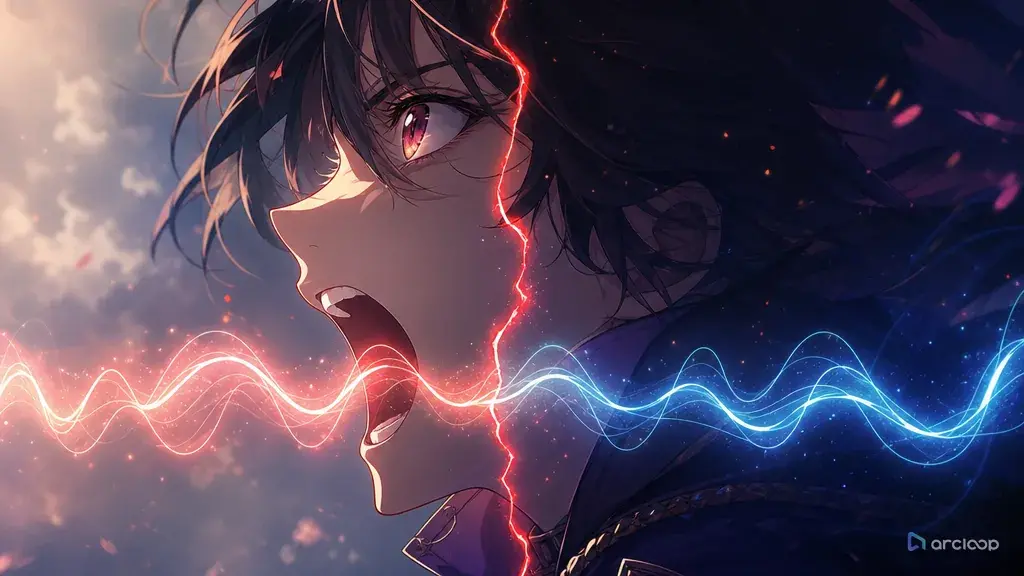
Audio-video sync problems rarely start at export. They usually start when a shot is planned as silent action and the voice is attached later like a sticker. The character turns away, the line keeps going. The mouth opens after the word lands. A dramatic pause has no face reaction. The cut happens while a syllable is still alive. Viewers may not name the problem, but they feel that the performance is disconnected.
The fix is not to keep rerendering the same clip and hoping the mouth catches up. In AI anime production, sync improves when the line, mouth window, reaction beat, camera distance, and final hold are planned together. A short line can survive a close-up. A longer line may need a locked medium shot, a held face, or a cutaway that hides the mouth without hiding the emotion.
This guide shows how to write repair prompts for audio-video sync inside ArcLoop. Use Character Voice Line Builder when the line needs a stable performance direction, and open the scene in ArcLoop Worlds when you need to check the fix against the same character asset and shot timing across the whole sequence — not just the one clip you're patching.
Core Principles for Audio-Video Sync Repair
Treat spoken time as shot time. A 14-word line, a breath, and a reaction cannot fit into a two-second close-up unless the delivery is extremely fast. Before changing style or face detail, check whether the line length matches the shot duration.
Define the mouth window. The character does not need to speak for the entire clip. A good prompt can say: mouth opens at second 1, line ends by second 4, then the character reacts silently until the final frame. That simple timing note prevents the voice from floating across the whole shot.
Separate speech from reaction. Lip motion belongs to the line; face acting belongs to the emotion after the line lands. If the prompt asks for talking, crying, turning, laughing, and reading a letter all at once, the sync will feel muddy.
Use camera distance honestly. Tight close-ups expose every mouth mismatch. Medium shots are more forgiving and still show expression. Cutaways to hands, props, or listening characters can carry audio without forcing constant lip detail.
Write the line as speakable dialogue. Long clauses, tongue-twisting names, and exposition dumps create sync trouble. Split the thought into breath groups, then use Generate Voiceover in the Edit timeline to assign the voice and timing to that shot.
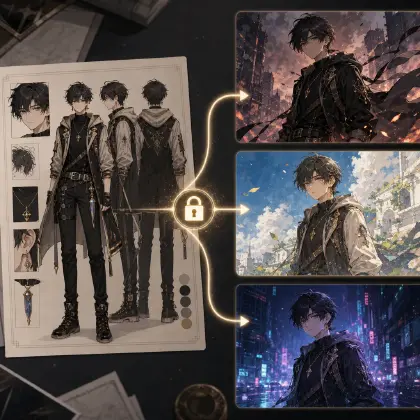
Keep identity stable while repairing sync. Do not regenerate the face, costume, and location just because the mouth timing failed. The repair pass should preserve the approved character sheet and adjust line length, mouth timing, pause, or edit point.
Step-by-Step Audio-Video Sync Repair Method
Start by marking the failure. Is the line too long, the mouth late, the cut too early, the reaction missing, or the camera too close? Naming the failure keeps the repair prompt short.
Write the target duration and spoken duration separately. For example: "6-second shot, spoken line from second 1.0 to 3.8, silent reaction from second 3.8 to 6.0." This gives the clip a timing map.
Shorten the dialogue before changing the whole shot. If the line is doing exposition work, move some information into the visual action or a prior storyboard beat. A cleaner seven-word line often syncs better than a dramatic twenty-word line.
Add a reaction beat. After the last word, the character can blink, lower their eyes, grip a prop, smile, or turn away. This makes the silence feel intentional and gives editors a stable end frame.
Set the mouth visibility. If exact lip-sync is critical, use a locked close-up and simple face motion. If the line is emotional but not phoneme-critical, use a medium shot with expressive posture and avoid over-directing mouth shapes.
Review the draft inside ArcLoop against the shot card: line begins on time, line ends before the reaction, mouth does not move during the silent hold, and the final frame is usable for the next cut.
For broader production structure, pair this with AI Character Voice Prompt Guide. The voice prompt tells ArcLoop how the line should feel; the sync repair prompt tells it where the line belongs in the shot.
How ArcLoop Keeps Audio and Video in One Production Plan
Audio-video sync is easier when voice direction is not outside the animation workflow. Put the voice on the character asset itself, then let each shot pull it in with an @ reference — dialogue and face arrive together instead of being timed after the fact. That lets you repair timing without losing the approved face or camera.
The practical workflow is simple: lock the character sheet, write the line, assign the emotion and pacing, create the shot card, then generate a rough pass before final polish. If the rough pass fails, change one timing variable. Do not rebuild the world, rewrite the costume, and change the camera in the same repair.
ArcLoop also helps with cost because sync mistakes compound across a sequence. A single late mouth movement may force a later cut to feel wrong. Use ArcLoop Worlds to keep approved lines, shot durations, and final holds visible as you build the next clip.
Example Prompt 1: Bakery Apology Close-Up
ArcLoop audio-video sync repair for a 6-second 2D anime close-up. Character: Nella, an original night-shift baker with short plum hair, flour on her cheek, a teal apron, and a chipped wooden spoon. Approved scene: closed bakery kitchen before sunrise, warm oven light, quiet mood. Sync target: spoken line starts at second 0.8 and ends by second 3.6; silent reaction from second 3.6 to 6.0. Line: "I burned your recipe, but I saved the starter." Mouth moves only during the spoken line. After the last word, Nella looks down at the covered dough bowl, grips the spoon once, and gives a small embarrassed smile. Locked front close-up, face and bowl visible. Preserve her hair, apron, cheek flour, and spoon. No extra dialogue, no singing, no music, no random camera cut, no mouth movement during the final hold.
This prompt reduces the repair to timing and reaction. The line is short enough for the close-up to carry.
Example Prompt 2: Engine Room Radio Line
Create an 8-second 2D anime medium shot for audio-video sync correction. Character: Caldre, an original airship mechanic with dark locs tied back, orange work gloves, blue overalls, and a cracked pressure gauge clipped to his belt. Setting: narrow airship engine room with pipes vibrating softly. The line comes through his headset, but Caldre answers on camera. Spoken window: second 2.0 to 5.0. Line: "Tell the bridge we have one clean climb left." Before speaking, he listens and checks the belt gauge. During the line, his mouth moves with calm urgency. After the line, he turns the valve and holds still for the cut. Camera: locked medium three-quarter shot, hands and face visible. Keep headset, gloves, overalls, and gauge consistent. No shouting distortion, no extra crew, no mouth movement before second 2.0, no cut during the line.
The listening beat gives the voice a place to start. The final valve turn gives the editor a clean exit.
Example Prompt 3: Silent Cutaway Under Dialogue
ArcLoop sequence sync pass for a 7-second 2D anime shot that hides lip-sync pressure with a meaningful cutaway. Character speaking off screen: Veyra, an original desert cartographer. Visible subject: her gloved hands unfolding a wind-torn map on a stone table. Setting: candlelit map room with sand caught in the window tracks and red thread marking a forbidden route. Voice line from second 0.5 to 4.5: "If the dunes changed overnight, someone moved the city." No visible mouth in this shot. Show the map unfolding, one red thread snapping tight, and Veyra's shadow crossing the table during the line. Silent hold from second 4.5 to 7.0 on the marked route. 2D anime painted background, crisp prop detail, steady camera. No face reveal, no subtitles, no random labels, no new map symbols after the hold begins.
Cutaways are not cheating when they carry story. This shot lets dialogue play while the viewer reads the clue.
Common Mistakes in Audio-Video Sync Repair
The main mistake is treating sync as a final polish problem. If the line was too long for the shot, polish cannot make it feel natural. Rewrite the timing map.
Another mistake is keeping the mouth active through the entire clip. Real performance has listening, speaking, breathing, and reacting. Give each state a window.
Creators also use close-ups for every line. Close-ups are powerful, but they punish vague mouth timing. Use them when the line is short and emotional; use medium shots or cutaways when the line carries information.
Do not repair sync by changing every approved asset. If the face, costume, lighting, and camera already work, keep them. The weak layer is timing, not identity.
Finally, avoid dialogue that exists only to explain the plot. If the world detail can be shown through a prop, expression, or edit point, remove it from the line. Shorter lines sync better.
FAQ for Audio-Video Sync Repair
How short should a line be for a close-up?
For a 5- to 7-second anime close-up, keep the spoken line short enough to leave a reaction hold. One clear sentence is safer than a paragraph, especially if the emotion matters.
Should I ask for exact mouth shapes?
Usually no. Ask for a mouth window, spoken duration, delivery pace, and no mouth movement during silent beats. Exact phoneme control is less useful than a shot plan that gives the performance enough time.
Can I fix sync without regenerating the whole scene?
Often yes. In ArcLoop, preserve the approved character asset, camera, and background, then adjust the line length, spoken window, pause, and final hold. Regenerate only the weak timing layer when the rest already works.
How does ArcLoop help with voice and timing together?
Because the voice lives on the character asset, changing it once updates every shot that references that character. That makes audio a planned part of the scene instead of an external step added after animation.