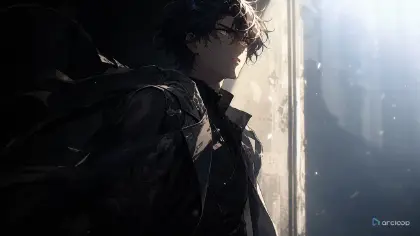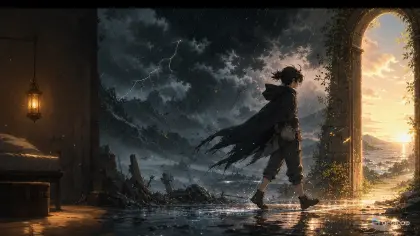
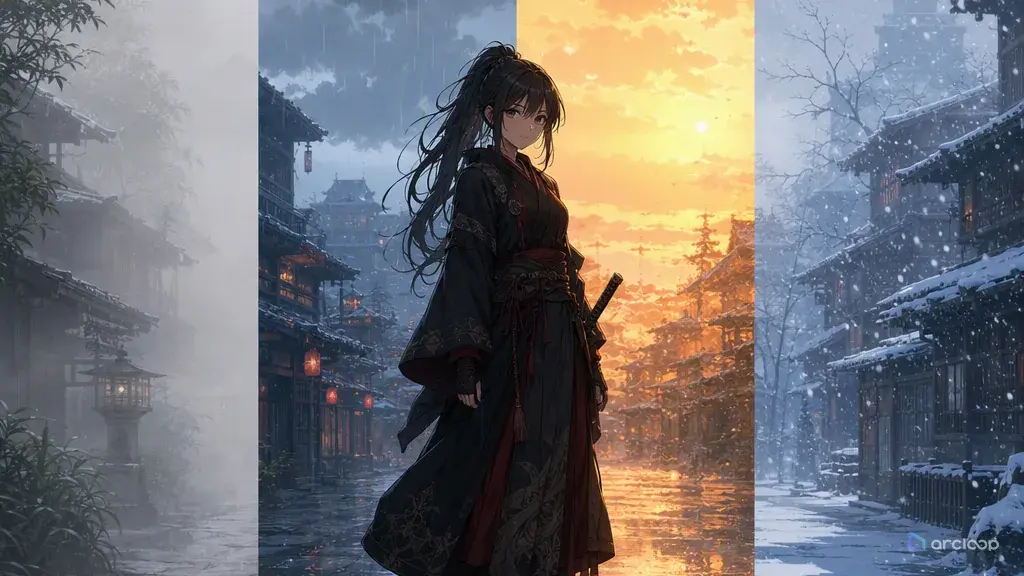
Introduction: Weather Should Change the Scene, Not Sit on Top
You add "foggy, cinematic, rainy atmosphere" to a clean anime shot and the result looks pretty for one frame. Then the character walks as if the ground is dry, the hair ignores the wind, the light does not scatter through the fog, and the story action would be identical if the weather disappeared. That is decoration, not atmosphere.
Weather works when it affects behavior. Rain makes characters shield paper, avoid puddles, slip on steps, or lean into sound. Fog hides distance and compresses the frame. Dry wind pushes dust into eyes and makes fabric snap. Snow slows movement and gathers on shoulders. Heat haze softens far objects and makes metal shimmer.
This guide shows how to prompt AI anime weather and atmosphere so the scene stays readable and the weather carries story pressure. Use Style Pack Templates to establish the visual treatment, or Cyberpunk Walk Depth Layers when you need foreground, midground, and background atmosphere to move differently.
Core Principles for Weather and Atmosphere
Give weather a physical direction. "Windy" is vague. "Crosswind from screen left pushing coat tails and paper charms to screen right" gives the model something concrete to act on when it's written into the shot description. Direction helps hair, cloth, rain, smoke, dust, and camera composition agree.
Tie atmosphere to depth. Fog, rain, snow, smoke, dust, and heat haze should not affect every layer equally. Foreground rain streaks can move fast, background fog can stay slow, and distant buildings can lose contrast. Depth makes atmosphere feel built into the scene.
Let weather alter the character's choices. A careful character may tuck a letter inside a sleeve during rain. A proud rival may refuse a coat in snow. A desert runner may squint against dust instead of charging straight ahead. The scene becomes stronger when weather changes what someone does.
Control visibility. Atmosphere can hide weak animation, but too much of it hides the story. Decide what must remain readable: face, hands, prop, route, final pose, or silhouette. Then set the weather intensity around that priority.
Match weather to lighting. Rain catches street lamps, fog blooms around lanterns, snow reflects sky color, dust turns sunset light copper, and humid air softens highlights. Weather and light should share the same world.
Protect continuity. If a scene begins with dry clothing and ends soaked, that change is a story event. If you do not want that, say light mist, no soaked redesign, or rain on background only. Weather should not accidentally rewrite the character sheet.
Step-by-Step Weather Prompt Structure
Start with the weather type and intensity. Use practical terms: light rain, heavy side rain, low fog, sea mist, dry dust gusts, first snow, wet snow, ash fall, humid heat haze, or storm wind before rain.
Define direction and layer. Say whether the weather moves toward camera, across screen, from behind the character, only in the background, or in three depth layers. This keeps the scene from becoming a flat overlay.
Name the affected surfaces. Wet stone, umbrella fabric, glass, hair tips, metal railings, paper lanterns, dry cloth, snow-covered steps, puddles, or cracked soil all show atmosphere better than abstract mood words.
Attach weather to the action. The character might cover a sketchbook, wipe fog from goggles, step around a puddle, brace against wind, or pause as thunder changes the timing. Prompt the behavior.
Set lighting and camera. A locked camera may help heavy weather stay readable. A slow push-in may work for mist. A side tracking shot may show dust movement. Mention the light source so rain, fog, or snow knows what to catch.
End with review constraints. Use no weather hiding face, no random season change, no soaked costume if not intended, no unreadable storm blur, no extra props, no text, no watermark, and no photorealism if you need clean 2D anime.
Where Weather Rules Live: Location Assets and Shot Descriptions
In ArcLoop, weather details for a recurring location belong on the location's scene asset in My Assets, not scattered across separate notes. The storyboard beat and shot description carry the rest — how the weather behaves in this specific shot. That matters because weather often creates continuity debt: if episode one drenches a cloak, episode two shouldn't show it perfectly dry unless time passed, and keeping the wet-cloak detail on the character asset makes that easy to check before generating the next shot.
Create a weather card for recurring locations. List direction, intensity, affected surfaces, visibility range, light behavior, and continuity consequence. Then generate low-cost drafts for shots where weather touches the character's hands, face, or prop. If the weather is wrong at draft quality, final polish will not fix the physics.
Review atmosphere in layers: does the character remain readable, does the weather move in a believable direction, does the background depth improve, and does the story action depend on the condition? If the answer is no, remove or reduce the weather. A clean dry scene beats a noisy storm that does nothing.
Example Prompt 1: Sea Fog Warning Shot
Create a 7-second 2D anime atmosphere shot for an original harbor scout named Eno Lark.

Character identity: short navy hair, copper skin, pale gray eyes, yellow rain cape, black rubber boots, and a carved whale-bone whistle tied at the wrist. Setting: a cliffside fishing village at dawn, rope railings, stacked crab pots, and a narrow path above the water.

Weather: thick sea fog rolling upward from below the cliff. Atmosphere layers: foreground mist passes slowly across Eno's boots, midground fog hides half the crab pots, background boats are low-contrast silhouettes. Light: cold dawn skylight, no direct sun, small warm lamp inside one hut.

Action: Eno raises the whale-bone whistle, pauses because the fog muffles the harbor bell, then steps closer to the rope railing to listen. Camera: locked medium wide shot, face, hands, whistle, and cliff edge readable.

Keep yellow cape, whistle shape, boots, and face consistent. No rain, no snow, no bright sunset, no fog covering the face, no text, no watermark, no photorealism.
The fog has a job: it hides distance, changes sound logic, and forces Eno to move toward the railing.
Example Prompt 2: Dry Wind Market Chase
Use the approved Eno Lark character reference, but place the next shot in a dry inland market during late afternoon. Create a 6-second 2D anime action beat.

Weather and atmosphere: hot desert crosswind from screen right to screen left. Dry dust skims along the ground, awning tassels whip left, loose price papers tumble behind the stalls, and distant figures lose contrast in heat haze. Light: low copper sun from camera right, sharp stall shadows broken by dust.

Action: Eno runs between spice stalls while protecting the whale-bone whistle inside the yellow cape. He squints against dust, plants one boot on a woven mat, and turns sharply behind a clay water cart. Camera: side tracking shot, knees-up to full body, keep the whistle hand visible.

Preserve navy hair, copper skin, gray eyes, yellow cape, black boots, and wrist whistle. No rain streaks, no fog bank, no snow, no random crowd blocking the action, no face redesign, no extra limbs, no text overlay.
This prompt shows that atmosphere can be action design. Dust, cloth, papers, and heat all move with the same wind rule.
Example Prompt 3: First Snow Revision Pass
Revise the selected Eno Lark village shot into a first-snow evening version. Keep the same cliffside path, rope railing, crab pots, yellow cape, black boots, whale-bone whistle, and locked medium wide camera.

Change only weather, light, and small behavior. Weather: first light snow, sparse flakes falling almost straight down with a slight drift toward the sea. Snow should collect lightly on the rope railing and crab pot edges, not bury the scene. Lighting: blue evening ambient light with warm hut windows reflecting on wet stone.

Action: Eno notices snow melting on the whistle, covers it with his cape edge, and looks toward the harbor path with quiet concern. Final frame should keep his face, hand, whistle, and snow on the railing readable.

Reject if the snow becomes a blizzard, if the cape is redesigned as winter clothing, if the fog from the old shot remains heavy, if the whistle disappears, or if the scene turns into a holiday postcard.
The revision keeps the approved scene and changes only the weather layer. That is the fastest way to test atmosphere without losing continuity.
Common Mistakes in Weather and Atmosphere Prompts
The biggest mistake is adding weather after the shot already failed. If the character action, camera, and prop are unclear, rain or fog will only make the failure harder to read.
Another mistake is forgetting direction. Rain, wind, smoke, dust, and snow need a path through the frame. Without direction, they often become static texture.
Creators also overuse heavy atmosphere to look cinematic. Dense fog, hard rain, sparks, smoke, and motion blur in the same short clip usually hide hands, faces, and story action.
A fourth mistake is ignoring surfaces. Weather becomes believable when it changes the ground, clothes, glass, metal, paper, or hair. If nothing reacts, the weather looks pasted on.
Finally, don't let weather rewrite the series timeline. Wet clothes, damaged paper, snow buildup, and muddy boots are continuity events. If the next scene depends on them, add that detail to the character or scene asset's description in My Assets so it's there the next time you write a shot, not just in your head.
FAQ: Weather and Atmosphere Prompt Questions
How much weather detail should I include?
Include the type, intensity, direction, affected surfaces, and what must stay readable. That is usually more useful than a long list of mood adjectives.
Should weather be part of the story action?
Yes, when possible. A character protecting a map from rain, losing sight in fog, or slipping on ash-covered stone gives the weather a reason to exist.
How do I keep atmosphere from hiding the character?
Set visibility priorities in the prompt: face readable, hands visible, prop clear, final pose held. Then limit fog, rain, dust, or snow so those elements remain visible.
How do I keep weather continuity across episodes?
Put the wet-cloak or damaged-prop detail into the location's scene asset (or the character asset if it's on a person) in My Assets, and reference that asset with @ in every later shot description. Since the description carries forward automatically, a soaked cloak in episode one won't quietly turn dry in episode two unless you change the asset yourself.
Where should I start?
Use Style Pack Templates for visual treatment, Cyberpunk Walk Depth Layers for layered atmosphere practice, and build the location as a scene asset in ArcLoop Worlds once the same weather rule needs to affect it across more than one episode.