
Introduction
A lot of people search "what software do I need for AI anime drama" or "which AI anime drama app is best," but what they're actually stuck on is something specific: the character doesn't look the same in the second shot, blocking falls apart the moment the camera angle changes, lip sync lags, multi-character voiceover all sounds like the same voice, and a failed take means redoing the whole thing.
The excitement around AI anime drama has cooled from where it was early on — most of what people share now is warnings about pitfalls, training gimmicks, and the gap between "one click" promises and reality. Tool content can't keep getting written as "zero barrier, instant results." The more useful question is: where exactly are you stuck, and can that one step stop costing you a redo?
This isn't a tool comparison, and it doesn't name or recommend any third-party generation tool. Treat it as a capability checklist instead. ArcLoop's place in this is described against the same checklist: it won't make creative decisions for you, but once a character is built into an asset, one @ in a shot pulls in the look, costume, and voice — blocking and lines still have to be written into the shot description by hand.
Core Principles
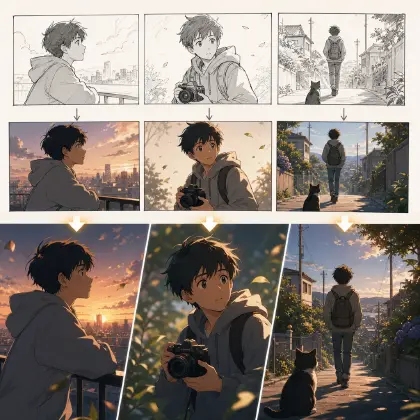
Look at the workflow before you look at the buttons. AI anime drama isn't one image or one clip — at minimum it runs through concept, script, storyboard, character turnaround, character asset library, blocking, video, voiceover, editing, and review.
Reusability matters more than generation. A good-looking first clip isn't hard. What's hard is episode two still looking like the same character, the same costume, and the same voice.
How rework happens determines how expensive a tool feels. A good tool should tell you which layer broke: a drifting face means fix the character, broken blocking means fix the camera angle, bad lip sync means fix the voiceover or the shot.
Don't trust a magic prompt. Character turnarounds, blocking references, voice profiles, shot lists, and review checklists all exist so the prompt isn't carrying the whole burden.
Tool capability has to be reviewable. "Character consistency" isn't enough as a claim on its own — you need to be able to see the character record, the do-not-change list, and why a given shot failed.
Step-by-Step AI Anime Drama Tool Capability Checklist
Step 1: Check concept and script capability. At minimum, the tool should hold onto the genre, character relationships, per-episode conflict, opening hook, and the ending pull into the next episode.
Step 2: Check storyboard capability. Can it break a script into a shot list? Does each shot carry duration, shot size, character, action, line, props, and a caption-safe zone?
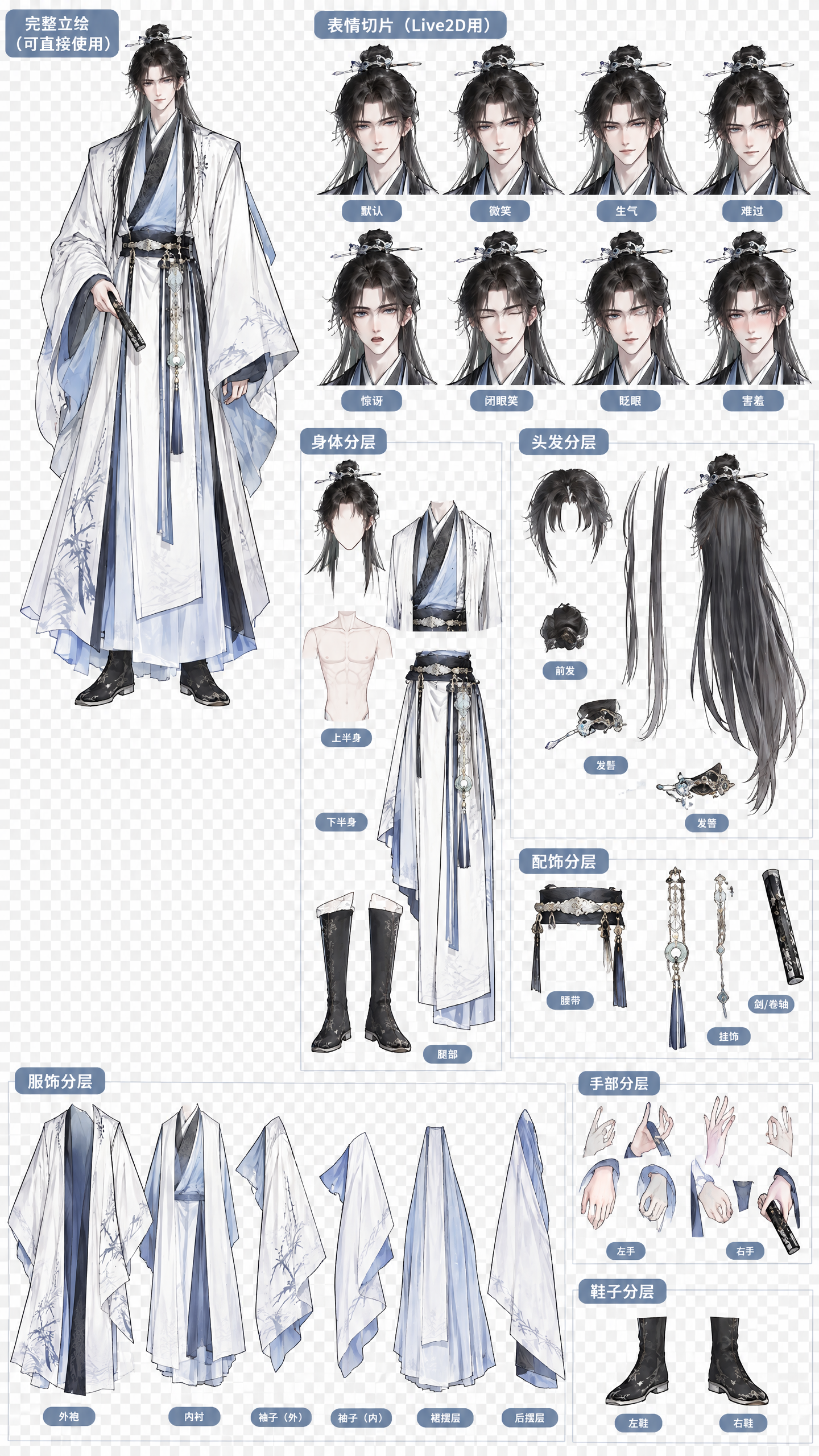
Step 3: Check character turnaround and character asset library capability. Can it save front, side, back, key visual, expression set, costume, props, voice, and a do-not-change list — and can the next shot keep referencing them?
Step 4: Check blocking capability. For multi-character dialogue, can it lock left-right position, front-back relationship, camera axis, eyeline, and prop placement? For a single character, can it specify weight distribution, foot position, and hand action?
Step 5: Check review before video generation. Are there shot drafts, character checks, blocking checks available? If the only option is going straight to a final video, rework gets expensive.
Step 6: Check lip sync and voiceover capability. Can multi-character voices be assigned separately? Can lines be bound to a character, an emotion, and a duration? If lip sync is off, can it fall back to a reaction shot instead?
Step 7: Check whether rework gets recorded. Do approved shots keep a version history? Can failure reasons get noted? Can the next attempt fix just one layer instead of starting over?
Build the Character Asset First, Then Break Down Shots
In ArcLoop, think of your ArcLoop workspace as the project's home base: build the characters first in the character asset library guide, then break shots down with the AI short drama guide. The point isn't "click once and you're done" — it's that every step has a reviewable field behind it.
A minimal workflow: a concept brief records the genre and conflict; the character asset records the character turnaround, costume, expressions, voice, and do-not-change list; blocking notes record left-right relationships, camera angle, eyeline, and prop placement; shot notes record duration, shot size, action, line, and caption zone; a review checklist records face, costume, blocking, lip sync, voice, and whether a redo is needed.
Example Prompt 1: Tool Capability Self-Check
Generate a tool capability self-check based on my AI anime drama workflow.

Project: modern fantasy anime drama "Night Shift at the Spirit Museum."
Current pain points: the character looks different by the second shot, blocking jumps left-right, multi-character voiceover is hard to tell apart, lip sync needs repeated fixes.
Output by workflow stage: concept, script, storyboard, character turnaround, character asset library, blocking reference, video draft, voiceover profile, lip sync, editing, review, rework record.
For each stage, list: required capability, minimum capability, what breaks if it's missing, and what I need to prepare.
Do not recommend any specific third-party tool names.
Example Prompt 2: Character Asset Library Capability Check
Check whether an AI anime drama tool is suited to building a character asset library.

Character: Xu Nanzhi, night-shift clerk at the spirit museum, short curly hair, gray-blue apron, a silver earring in her right ear, carries a bronze bell.
Required capabilities: save character turnaround, key visual, expression set, everyday outfit, the bronze bell prop, voice tags, do-not-change list, temporary states.
Check questions:
1. Can the next episode keep referencing the same character?
2. Can costume and props be locked independently?
3. Can voice be bound to the character?
4. Do temporary states overwrite the default design?
5. Can a failed shot be fixed at just the face or costume, without redoing the whole shot?
Output the verdict as pass, borderline, or missing.
Example Prompt 3: Rework Decision Table
Generate a rework decision table for one episode of AI anime drama.

Input: 8 shots, the character asset library, blocking reference, voiceover assignment sheet, episode preview.
Review fields: character face, hairstyle, costume, key props, blocking, eyeline, lip sync, voice, captions, lighting, pacing.
Decision rules:
A slightly off face can be touched up locally; a character that no longer looks like the same person needs a redo.
Slightly off blocking can be patched with a reaction shot; a reversed left-right relationship needs a redo.
A short line with imprecise lip sync can be cut to a reaction shot; a long line that's completely off needs re-recording or a reshoot.
Output: a minor-fix plan for each shot, what must be redone, and what can be kept as-is.
Common Mistakes
The first mistake is asking "which tool is best" first. Without a workflow and a specific pain point, that question doesn't have an answer.
The second mistake is judging only by generation speed. Fast but unable to reuse a character means patching faces, costumes, and voices later.
The third mistake is treating a one-click preview as the finished deliverable. Producing a preview isn't the same as sustaining a series.
The fourth mistake is ignoring blocking. A lot of people focus only on the character turnaround, then watch multi-character scenes fall apart the moment the camera angle changes.
The fifth mistake is keeping no record of failures. Without one, every episode starts from scratch and hits the same pitfall again.
FAQ
What's the best tool for AI anime drama?
Don't start by name — start by workflow capability. Check whether it can save character assets, lock blocking, assign voices, handle lip sync, and record rework.
Is a one-click final cut reliable?
It works as a preview, but it isn't the whole reliable delivery pipeline. Sustaining a series needs character, storyboard, blocking, voiceover, and review working together.
What's the minimum a character asset library needs?
At minimum: character turnaround, key visual, costume, key props, expression set, voice tags, and a do-not-change list.
Should lip sync be handled at the very end?
Not too late. Line length, shot size, how much of the face is on camera, and reaction shots all affect lip sync.
When does it make sense to consider ArcLoop?
Once you're already stuck on characters drifting across shots or blocking that won't hold, ArcLoop is worth considering: build the character into an asset, bind reference images, reference it with @ in the shot, and blocking and lines still get written into the shot description by hand. When something's wrong, you only redo that one shot instead of the whole scene. It won't make creative decisions for you, but it cuts down on how often you have to start over.